R-Type Final Fighter 008

R-Type Final Fighter 004

R-Type Final Fighter 005
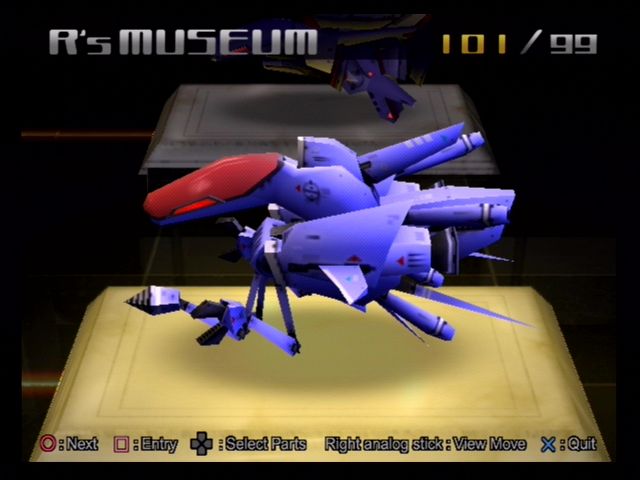
R-Type Final Fighter 003


R-Type Final Fighter 001
| previous | next |
| Number: 001 Model: R-9A Code: Arrow Head 獲得條件: 遊戲開始時已經存在 How to get: At the beginning  Beam | |

R-Type Final 標準樹狀列表 (R-Type Final Standard Tree List)
利用 Java 下載 HTTP 網絡上的檔案 (Use Java to download file from HTTP)
import java.io.IOException;import java.net.ConnectException;import java.net.URL;import java.io.InputStream;import java.io.FileOutputStream;
public static void download(String source, String destination) throws IOException, ConnectException{ InputStream is = new URL(source).openConnection().getInputStream(); FileOutputStream fos = new FileOutputStream(destination); byte[] buffer = new byte[1024]; for (int length; (length = is於 Ubuntu 手動安裝 Java EE 與 NetBeans 等軟件 (Manual install Java EE and NetBeans)
前後 https://www.netbeans.org/
Visit https://www.netbeans.org/
選擇語言後按 "Download Free NetBeans IDE 6.8"
(NetBeans IDE 6.8 是 2010-04-17 最新版本)
Select the language and click "Download Free NetBeans IDE 6.8"
(NetBeans IDE 6.8 is the latest version on 2010-04-17)
選擇語言
Visit https://www.netbeans.org/
選擇語言後按 "Download Free NetBeans IDE 6.8"
(NetBeans IDE 6.8 是 2010-04-17 最新版本)
Select the language and click "Download Free NetBeans IDE 6.8"
(NetBeans IDE 6.8 is the latest version on 2010-04-17)
選擇語言
利用 Java 改變圖像的色相 (Use Java the edit the Hue value of an image)
import java.awt.image.BufferedImage;import java.awt.Color;
public static BufferedImage hue(BufferedImage source, float value){ BufferedImage out = new BufferedImage(source.getWidth(), source.getHeight(), source.getType()); for (int i = 0; i < source.getWidth(); i++){ for (int j = 0; j < source.getHeight(); j++){ Color color = new Color(source