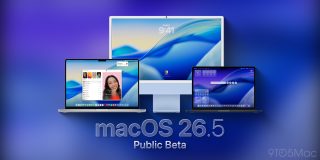
Following the release of the first developer beta of macOS 26.5 earlier this week, it’s time for users in the Public Beta program to take the upcoming macOS version for a spin. Here’s what to expect.
Unlike the first developer beta of iOS 26.5, which introduces Live Activities forwarding to third-party accessories in Europe, suggested places in Apple Maps, RCS end-to-end encryption, among other features , this looks like a less eventful cycle for macOS.
With macOS 26.4, Apple introduced the Charge Limit feature, brought back the compact tab view on Safari , and started displaying an alert to get the ball rolling on the sunsetting of Rosetta.
macOS 26.5, on the other hand, is looking more like a “bug fixes and stability improvements” release, with no significant new features introduced so far.
It is entirely possible that future beta releases may introduce new features ahead of the official release of macOS 26.5, which should be the last big macOS release ahead of WWDC26 , and the announcement of macOS 27.
The release build of macOS 26.5 public beta 1 is 25F5042g, which is the same as the developer beta.
To install, the first thing you have to do is enroll in Apple’s public beta program at . Once you’re done, here’s the step-by-step:
- Open System Settings
- Go to General ⇾ Software Update
- Click the ‘i’ icon next to Beta Updates
- From the dropdown menu in the top-right, select the macOS Tahoe 26 Public Beta
- Hit ‘Done’
Did you spot any changes in today’s beta? Let us know in the comments.
FTC: We use income earning auto affiliate links. More.