tl;dr : it depends .

About one year ago, I bought an Intel N100 mini PC (specifically the GMKtec N100 NucBox G3 ) and compared it to the Raspberry Pi 5 8GB .
A year later, and we have a newer $159 16GB version of that mini PC with a slightly-faster Intel N150, and a new 16GB Raspberry Pi 5 .
I re-ran all my benchmarks, and this time compared like-for-like, installing Linux on the Mini PC. Many people argued comparing the OOTB experience running Windows 11 Pro (which came on the Tiny PC) to Raspberry Pi OS (which I installed on the Raspberry Pi 5) was unfair.
I have a video that goes through everything in this post, embedded below:
If you prefer to read the post instead, please continue:
N100 PCs are not created equal
In the video, I ran through four myths to test whether they hold waterâone of the most difficult to assess is whether the N100 is faster and more efficient than a Pi 5.
Because unlike the Pi, an N100 (or the newer N150) is just the SoC used on dozens (maybe hundreds now?) of boards, from prebuilt Tiny PCs to full-on motherboards. Manufacturers pair the SoC with different types of RAM, IO, and cooling options.
All that to say, if you're comparing an N100 paired with slow DDR4 RAM and a weak laptop fan to one running fast DDR5 RAM with a huge desktop CPU cooler, you're going to have a pretty different experience.
But even the slower DDR4-based systems beat the Pi 5 in raw performance, in my testing. How much depends a lot on the thermals and power limits.
On the NucBox G3, with DDR4 RAM and some thermal constraints which required me to pop the top off and place a fan over the back side of the main board, it was between 1.5-2x faster than a Pi 5, depending on the benchmark.
For example, High Performance Linpack saw almost double the performance:

But note the efficiency scores. Despite the N150 using 'Intel 7' (a 10 nm process node), it gets less work done per watt than the Pi 5 (whose Arm BCM2712 chip uses a 16nm process). So the maxim of "better process node == better efficiency" does not apply universally (not to mention comparing different process nodes is a fun experiment these days, because 1nm can mean a lot of different things!).
Architecture, feature sets, and chip design still matters.
I have all the dozens of benchmark results (and a log of the full process getting them) for both computers on my SBC Reviews website .
Used Tiny PCs are Cheaper
In news that should be obvious to anyone who thinks about it for more than half a second: used Tiny PCs are cheaper . Cheaper than both new fully-kitted-out Raspberry Pi 5s, and cheaper than new Tiny PCs.
Because of the massive quantity of leased Tiny/Mini/Micro PCs for business use (every doctor's office and hospital on the planet seems to have a dozen), there's a constant churn of 3-5 year old models, and many end up on eBay.
I acquired a couple old Lenovos this way, with 7th and 8th-gen Intel CPUs. Even though they burn a few more watts at idle, they're an excellent deal if you just need a little PC to run something in a homelab, or for a lightweight desktop.
They usually have more expansion options than a cheap Tiny PC or Pi have.
But newsflash: used is different than new . Just like used gaming consoles are cheaper than new ones... you can't say "Tiny PCs are cheaper than Raspberry Pis" based on used pricing versus new .
It's enough to say Tiny PCs are cheaper than Raspberry Pis if comparing like for like specs on new machines:
The Raspberry Pi 5 16 GB model, with 512 GB of SSD storage, Raspberry Pi's NVMe HAT, an Active Cooler, an RTC battery, a 27W power adapter, and a rubber bumper case, costs $208, compared to the similarly-specced GMKtec NucBox G3 Plus.

But you can't find a new fully-kitted Tiny PC in the $60-80 range that competes with the Pi 5, which starts at $50 for the bare Pi 5 board (for a 2 GB model). The most direct comparison is the Radxa X4 (which is a very close Intel-based replacement for the Raspberry Pi). But that board's pricing is very closely aligned to the Pi, as you need to add on accessories to have a fully functional system.

All of this to say: value is complicated. The Pi 5 is much more compact and slightly more power efficient (especially at idle) compared to the cheapest N1XX Intel systems. The Intel systems are better suited for a desktop use case. The Pi 5 can be run off PoE power, for easier one-cable networking + power. The Intel systems are more compatible with a wider range of software (not the least of which is anything requiring Windows ).

The idle power is the difference of maybe $10-20/year of power consumption. So it's not that big a deal for most users. But it's substantial if you're running off PoE power for remote use cases, or need to run a computer off solar or battery power.
It's not that useful to say one is cheaper than the other, because it's like saying "a bicycle is cheaper than a car." If you need to transport 4 adults 150 miles as quickly as possible, one choice is obviously better!
Other Notes
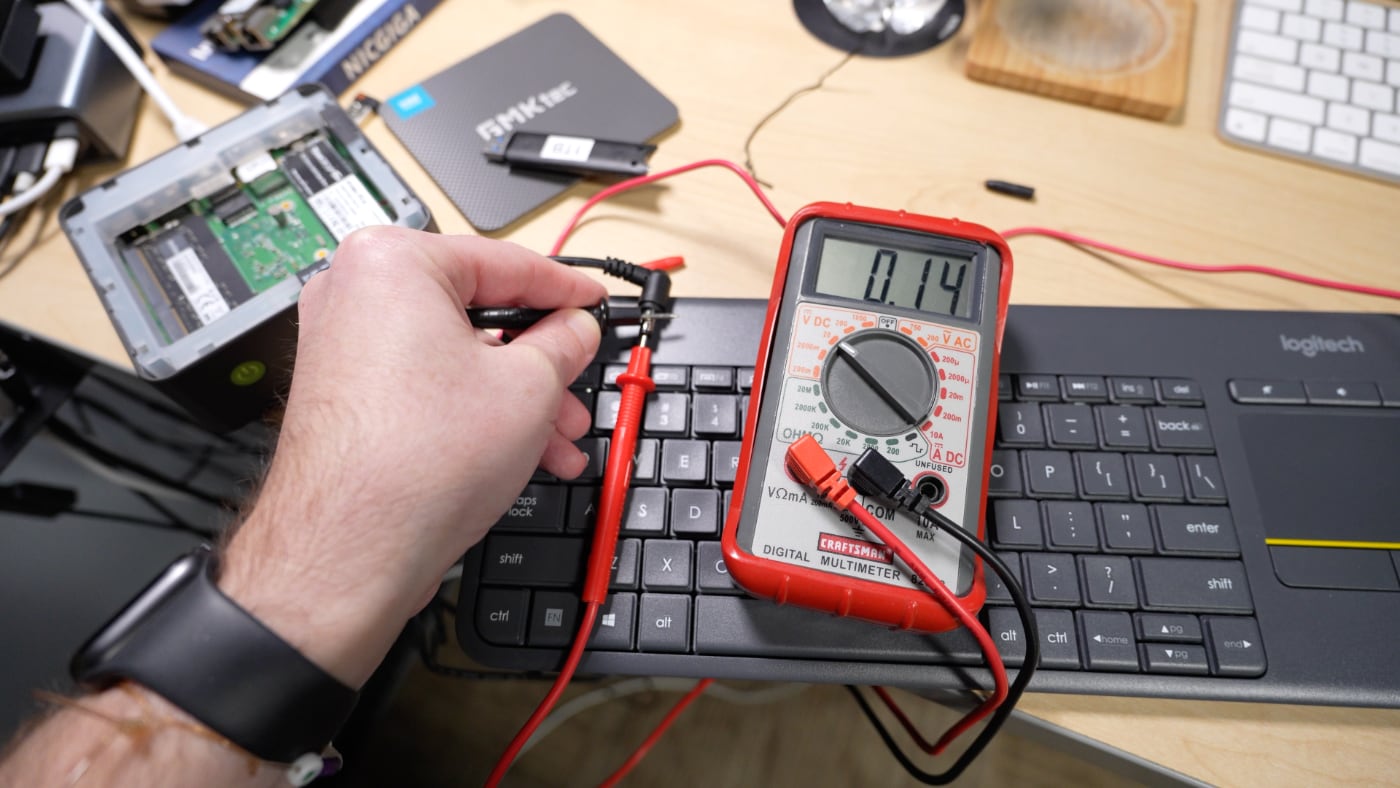
- The NucBox G3 Plus I was sent was ordered through Amazon by GMKtec as a review sample; so it comes from the same stock that's shipping to customers. My unit had a defective power adapter, only supplying 0.14V. Luckily I had my old adapter from the original NucBox G3 that I bought, and it worked fine.
- The fan connector on the NucBox G3 is actually the same JST connector / pitch that the Pi 5 uses; just an interesting observation, as I haven't seen that connector used for fans outside of SBCs like the Pi 5 before.
- DDR5 SO-DIMMs are not compatible with DDR4 SO-DIMM slotsâjust something I learned on this project... I knew full-size DIMMs were incompatible due to the extra on-stick ECC circuit on DDR5 RAM, I just didn't know the same applied to SO-DIMMs. Obvious in hindsight, but something to keep in mind.
- Ubuntu 24.04 required a kernel update to 6.12 (I used Mainline Kernels to do it) to work with the iGPU on the N150 SoC.