
Since boosting my Pi 5 from the default 2.4 GHz clock to 3.14 GHz on Pi Day , I've wanted to go faster. Especially since many other users have topped my Geekbench scores since then :)
In March, Raspberry Pi introduced new firmware that unlocked frequencies above 3,000 MHz for overclocking. This summer, NUMA Emulation patches boosted performance another 5-10% through memory access optimizations.
But even with a golden sample Pi 5, I haven't seen anybody go much beyond 3.1 or 3.2 GHz. The problem seemed to be power supplyâthe Pi's firmware limits the SoC to a maximum of 1.000V.
There is an
over_voltage_delta
option which works with DVFS to boost voltages a bitâbut that is also capped at 1.000V.
After emailing back and forth a bit, GitHub user jonatron beat my 3.14 GHz overclock quite handily, pushing his Pi up to 3.3 GHz, but without attempting a full Geekbench 6 run.
His blog post (linked above) explains some of the process, but after talking a bunch, he agreed to let me release a bit of code that enables the overvolt hack. It is now available in my pi-overvolt repository, along with a description of how to use itâand copious warnings .
The problem is, if you hack the firmware's voltage limits, you void your Pi's warranty . I'm not sure if it's detectable, especially the way it's being done here... but there's a good chance you'll burn up your Pi's SoC even if you know what you're doing.
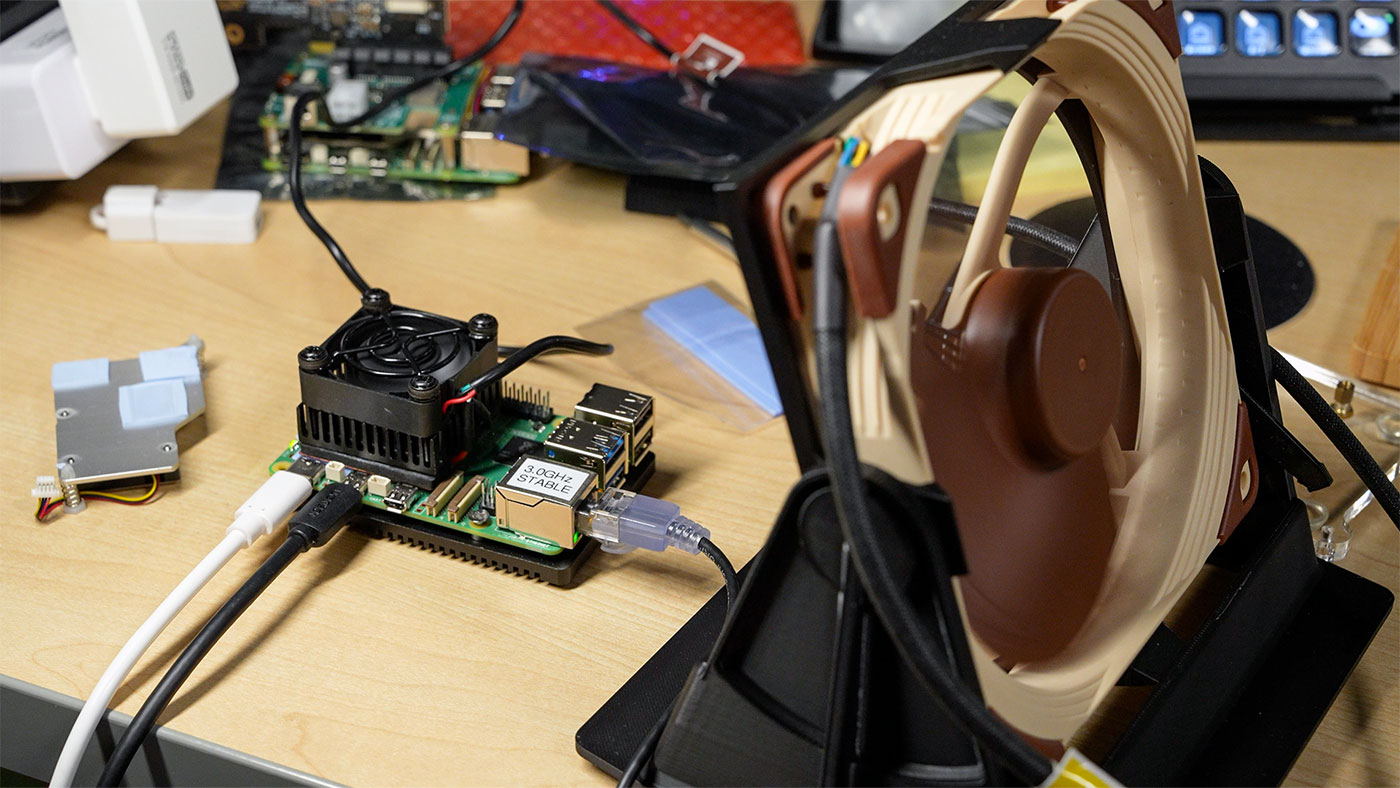
I didn't burn up my Pi (luckily), and I made this video documenting my journey to a stable-ish 3.4 GHz overclock, resulting in the current world record Geekbench 6 score on a Pi 5 .
If you want to replicate my setup, here are all the parts I used:
- Raspberry Pi 5 'golden sample' (the one that was most stable out of the 10 Pi 5's I own)
- USB Fan Heatsink Peltier Cooling Module (Amazon affiliate link)
- Bottom heatsink plate from EDATEC Fanless Heatsink Case
- Noctua 5V 140mm Fan (Amazon affiliate link) inside this 3D printed stand
- Argon PWR GaN 27W USB-C power supply (Amazon affiliate link)
- Extra thermal pads (Amazon affiliate link) to conduct heat from PMIC to Peltier cooler
For the world-record 3.4 GHz Geekbench run , I ran my custom kernel with the NUMA Emulation patch (linked earlier in this post) applied, and followed the instructions to set a higher voltage in my pi-overvolt repo .
Update : Since posting this information, I also found out about another great guide to overclocking and the PMIC's limitations on the Pi 5âsee SkatterBencher #77: Raspberry Pi 5 Overclocked to 3000 MHz .