Please read this article for background/more info: iPhone/iPad external microphones
[ Update ] Here are a few other commercially-available tripod mounts:
- Smartphone Tripod + Mount (review of the unit I bought - only $7!)
- The Glif - (elegant stand/mount for iPhone 4 - $20)
- SnapMount iPhone 4 Tripod adapter (simple yet sturdy - $18)
- OWLE Mount (Crazy expensive, but nice)
- Some other Tripod Mount Ideas
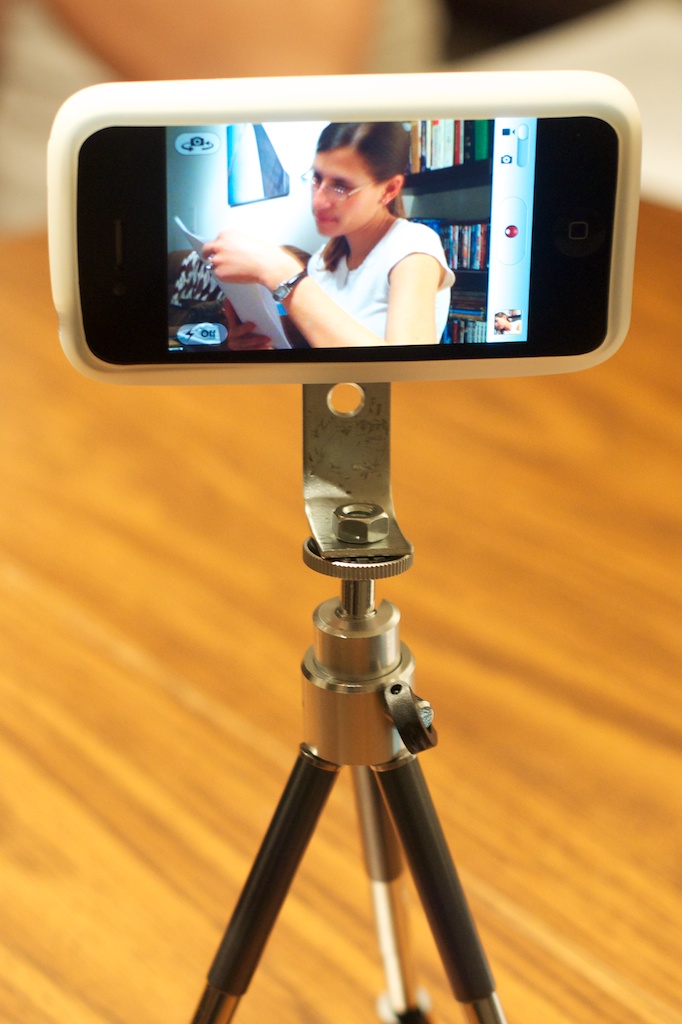
Parts Required
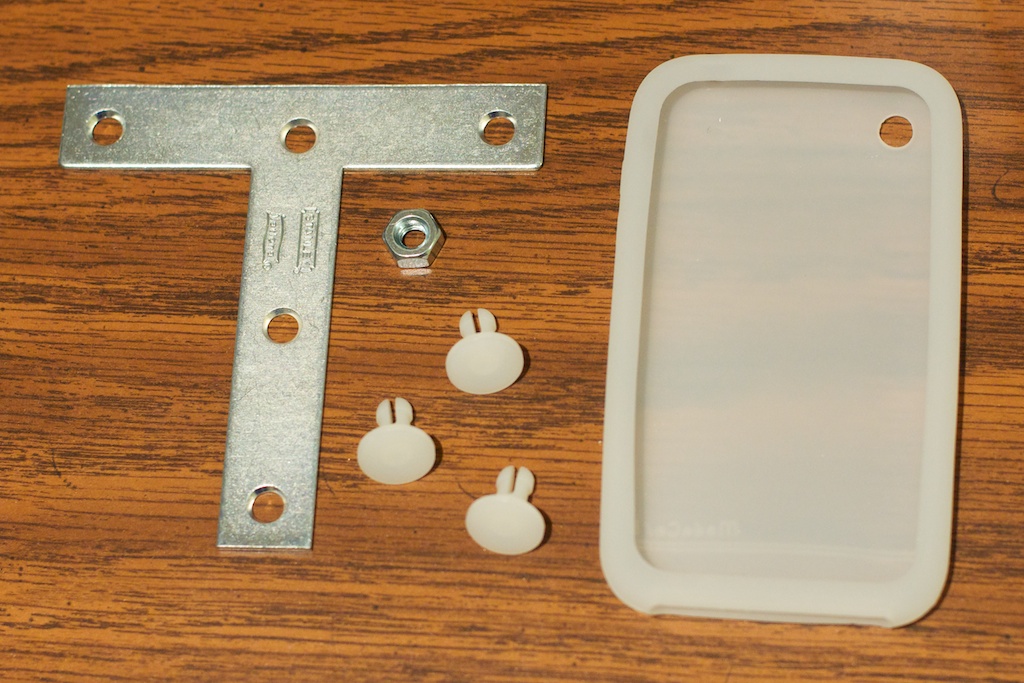
- Stanley 4" ZN T-Plate (2 pack) - $3.26 (#315657)
- 1/4 x 20 Hex Nut (single) - $0.04 (#63301 - although a winged hex nut would be better)
- Nylon Push in Fastners (375N - 2 packs of 2, from Home Depot) - $0.96
- iPhone case - pretty much any silicone case will doâ3G/s cases work fine with the iPhone 4, bye the way (this one was $4.99)
Putting the Parts Together
Step 1 : Put Silicone iPhone case on top of the crossbar portion of the T-bar (see image), and mark the hole locations with a permanent marker. Using a razor blade/knife, cut small holes (about 1/8" diameter) where you made the marks (using a piece of cardboard as backing is a great idea!).
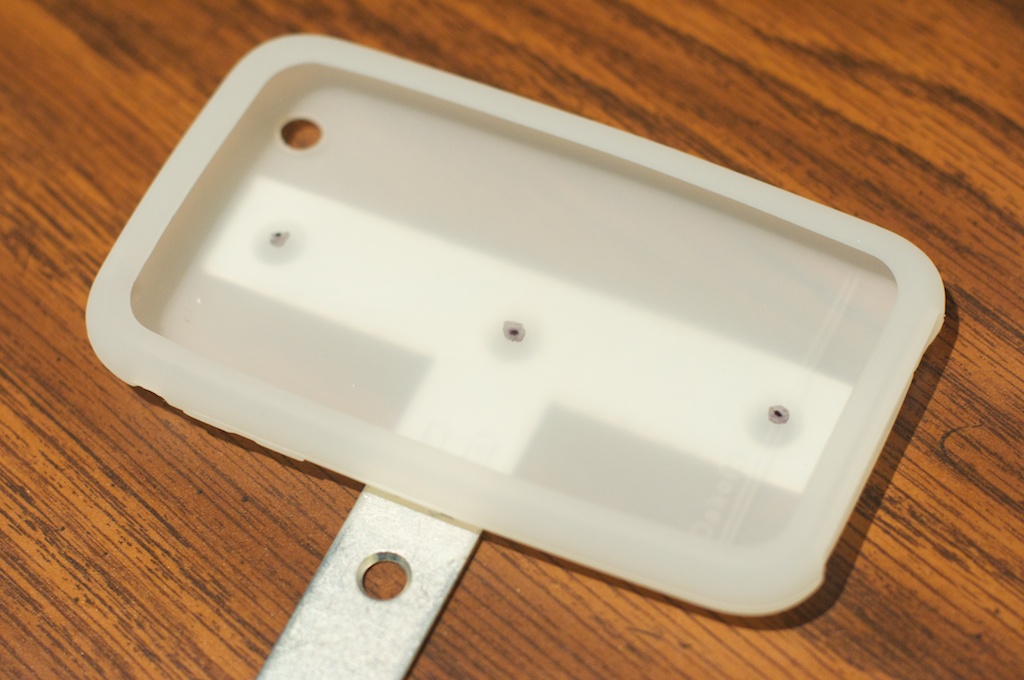
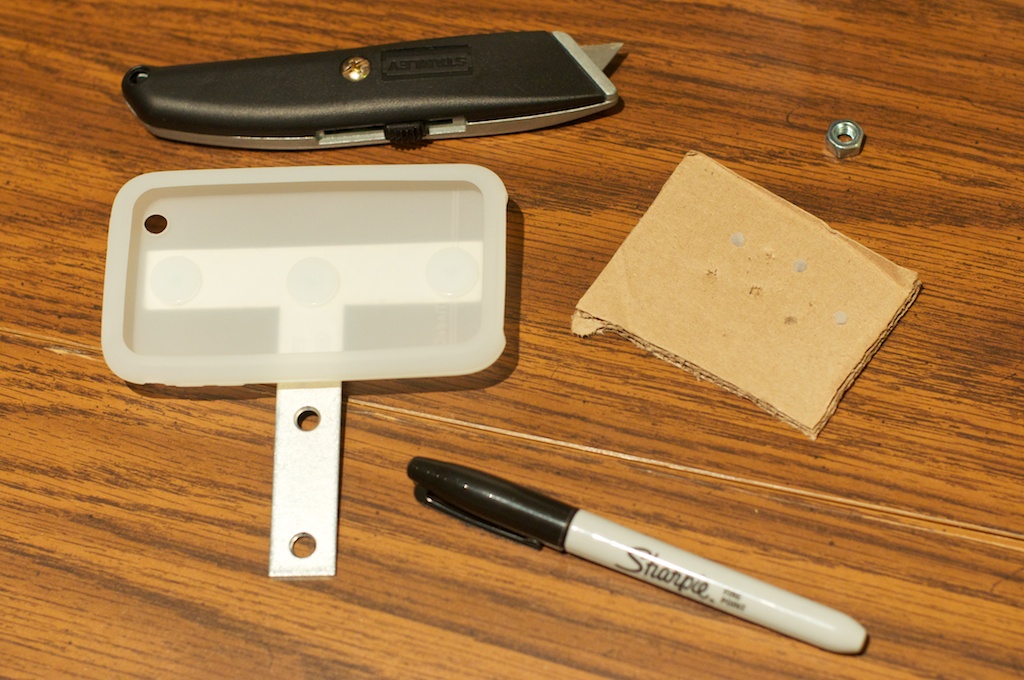
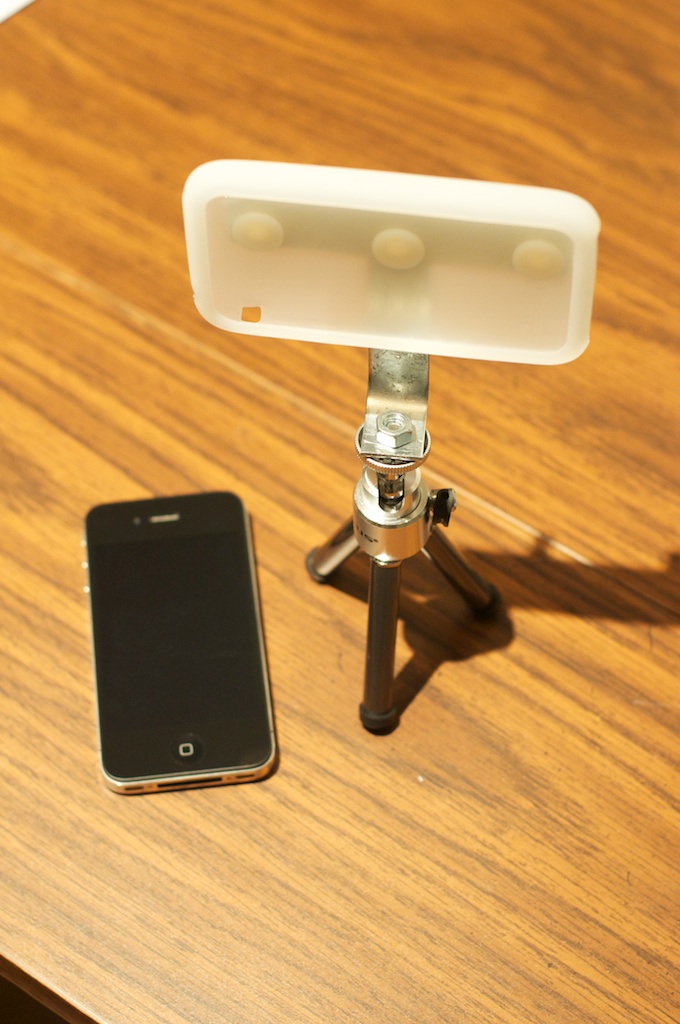
Notes:
- Since I was using a 3G/s case, I had to cut the camera hole a little bit to make the iPhone 4's camera fit within the hole properly.
- You could, alternatively, bend the T-bracket in some other fashion, or not at all, keeping in mind the balance of the iPhone while mounted on this tripod adapterâif you're using a tiny tabletop tripod, it might fall over if you have uneven weight distribution.