Gone are the days of major technological and hardware upgrades from model to model, at least when it comes to the digital camera industry. Smartphones are no exception, and it seems that any annual changes we do see tend to be relatively minor now.
As part of its yearly release cycle, Google has announced the Pixel 11 series of phones, and with the new Pixel 11 Pro XL in hand, I proceeded to test this latest model, not as a phone, but rather as a creative photographic tool. Sadly, the current memory crisis has inflated costs across the industry, and the Pixel 11 Pro XL is going to run you at least $1,299.
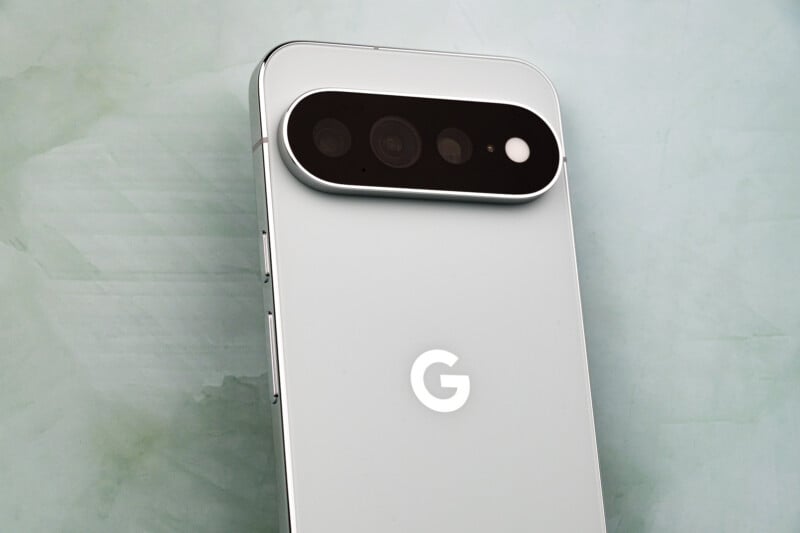
Google Pixel 10 Pro XL Review: How It Feels
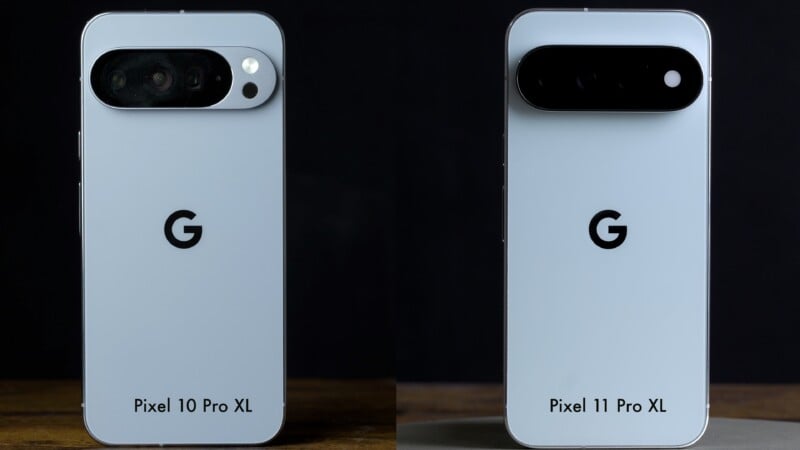
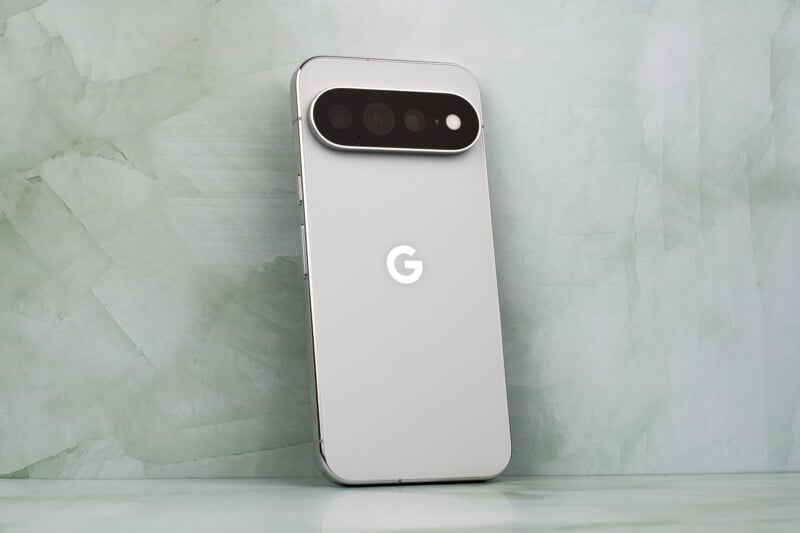
Both the Pro and Pro XL phones run the same cameras and have the same options for storage and RAM. However, the XL version that I tested comes with a brand-new 6.8-inch screen that now peaks at a maximum of 3,600 nits of brightness. The body design is quite similar to last year’s, comes in four colors, and features a new camera bar design. External controls are, otherwise, almost identical to the 10 series. The weight hovers around eight ounces (226 grams), which does bring it down ever so slightly from last year’s model.
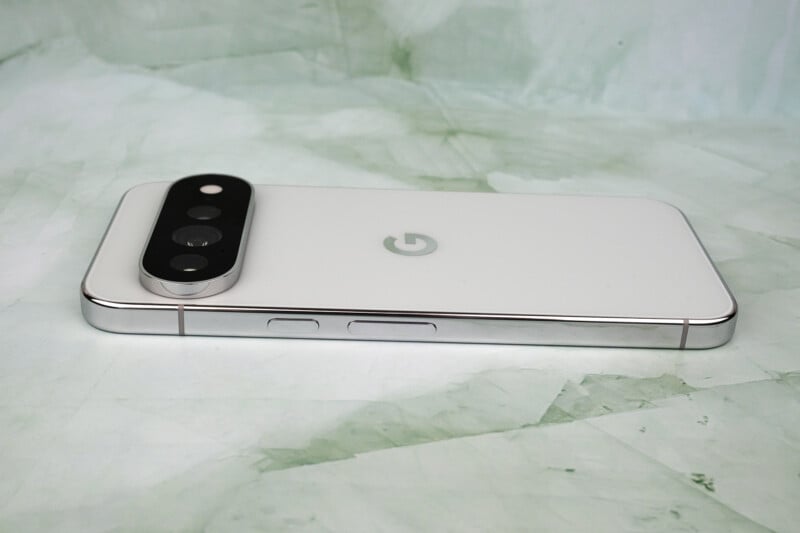
The internal battery has also dropped slightly to a maximum of 5,115 mAh. In exchange, the Pixel 11 Pro XL features a more efficient main camera sensor and the new G6 Tensor processor, which reduces power demands. I’d say that overall power usage and longevity will be similar to what we had before, which is always disappointing when talking about battery life. It’s unclear why the battery got smaller.
We also see the return of the Google Pixel Snap magnetic attachment system, which works with MagSafe accessories and chargers. Wired charging is still around 45 watts, but the wireless charging speeds have been improved this time around.
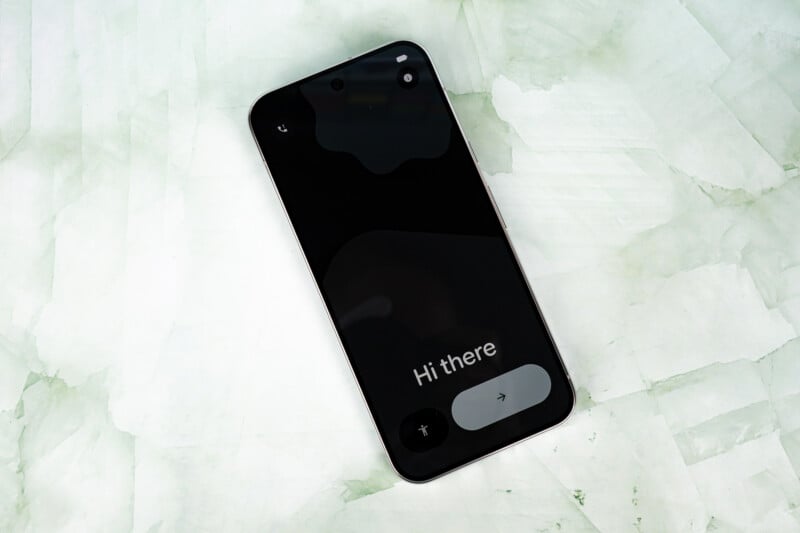
Google Pixel 10 Pro XL Review: The Cameras
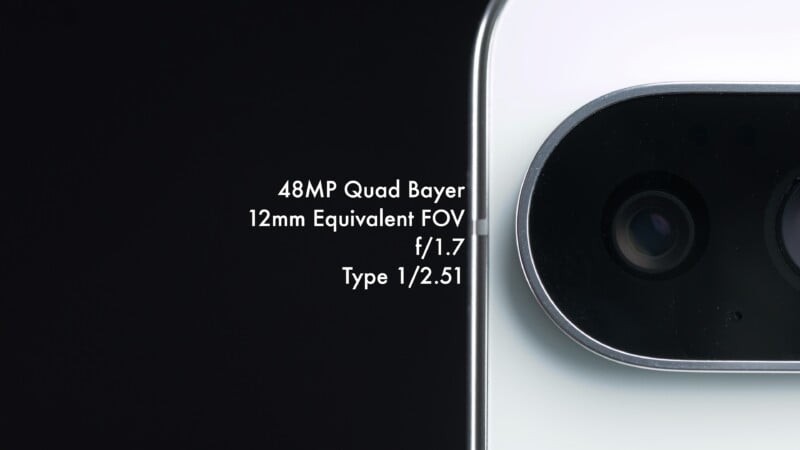
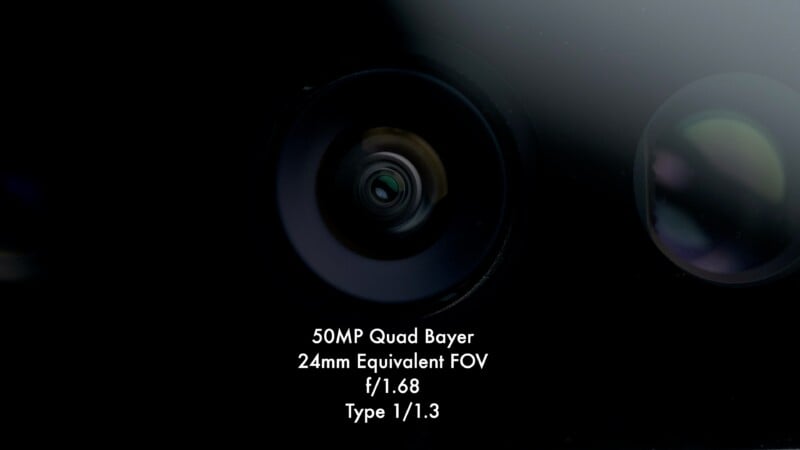
The ultra-wide camera returns from the last model with the same 48-megapixel Type 1/2.51 sensor and f/1.7 aperture. The main camera is also very similar, though as mentioned above, it is a more power-efficient design. It features a 50-megapixel Type 1/1.3 sensor, has a fixed f/1.68 aperture, and the image quality is very similar to what we have seen before.


The selfie camera is the same 42-megapixel f/2.2 camera as before.
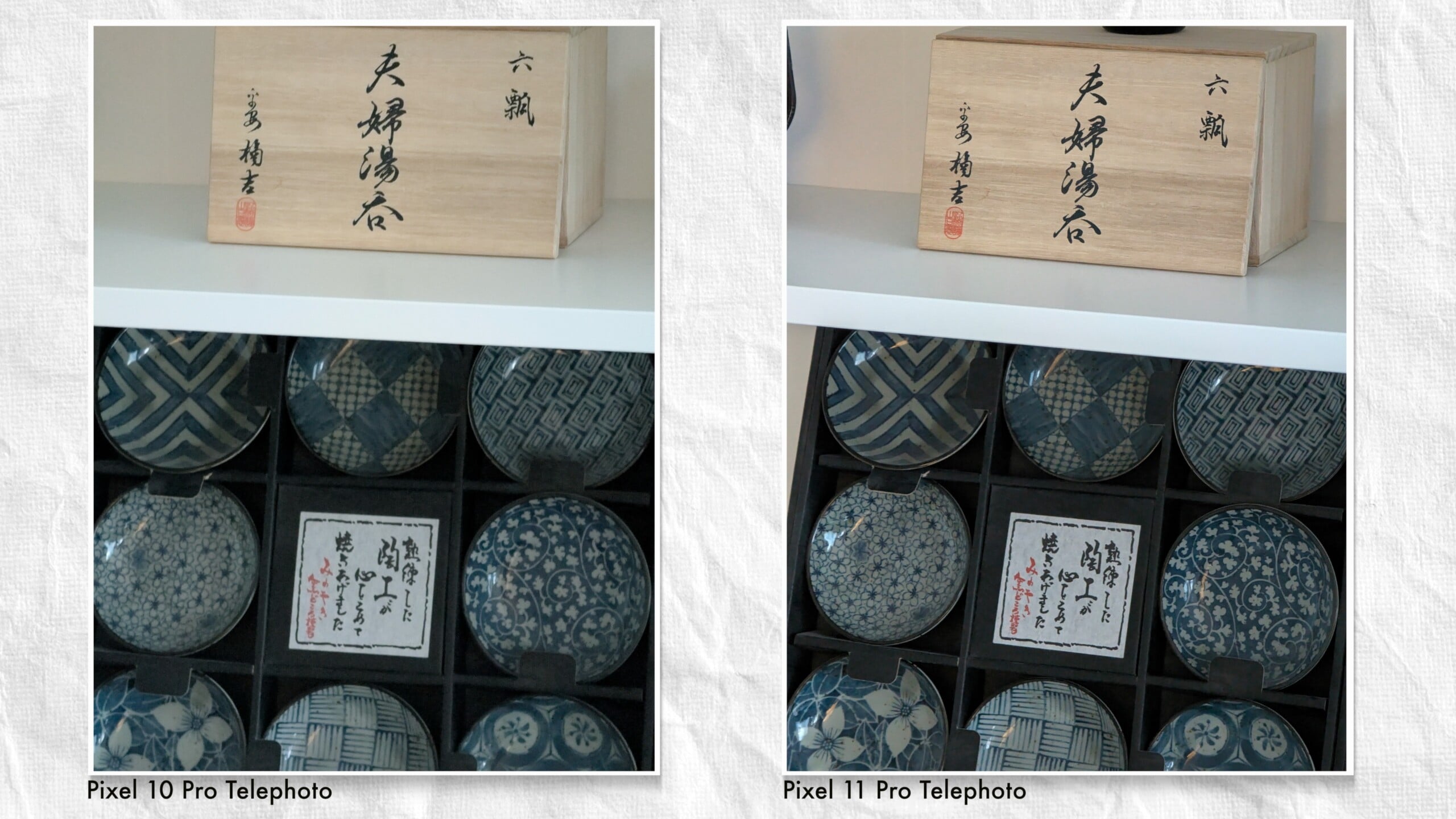
The only major hardware change is with the telephoto camera, which gives a 5x zoom equivalent and is now mated to a larger Type 1/1.95 sensor. You still get an f/2.8 aperture on the lens and optical image stabilization to help capture the shot, too. I noticed a distinct improvement in low-light image quality as well as better overall detail reproduction. It’s always nice to see real hardware changes, and the new telephoto lens is a meaningful improvement.

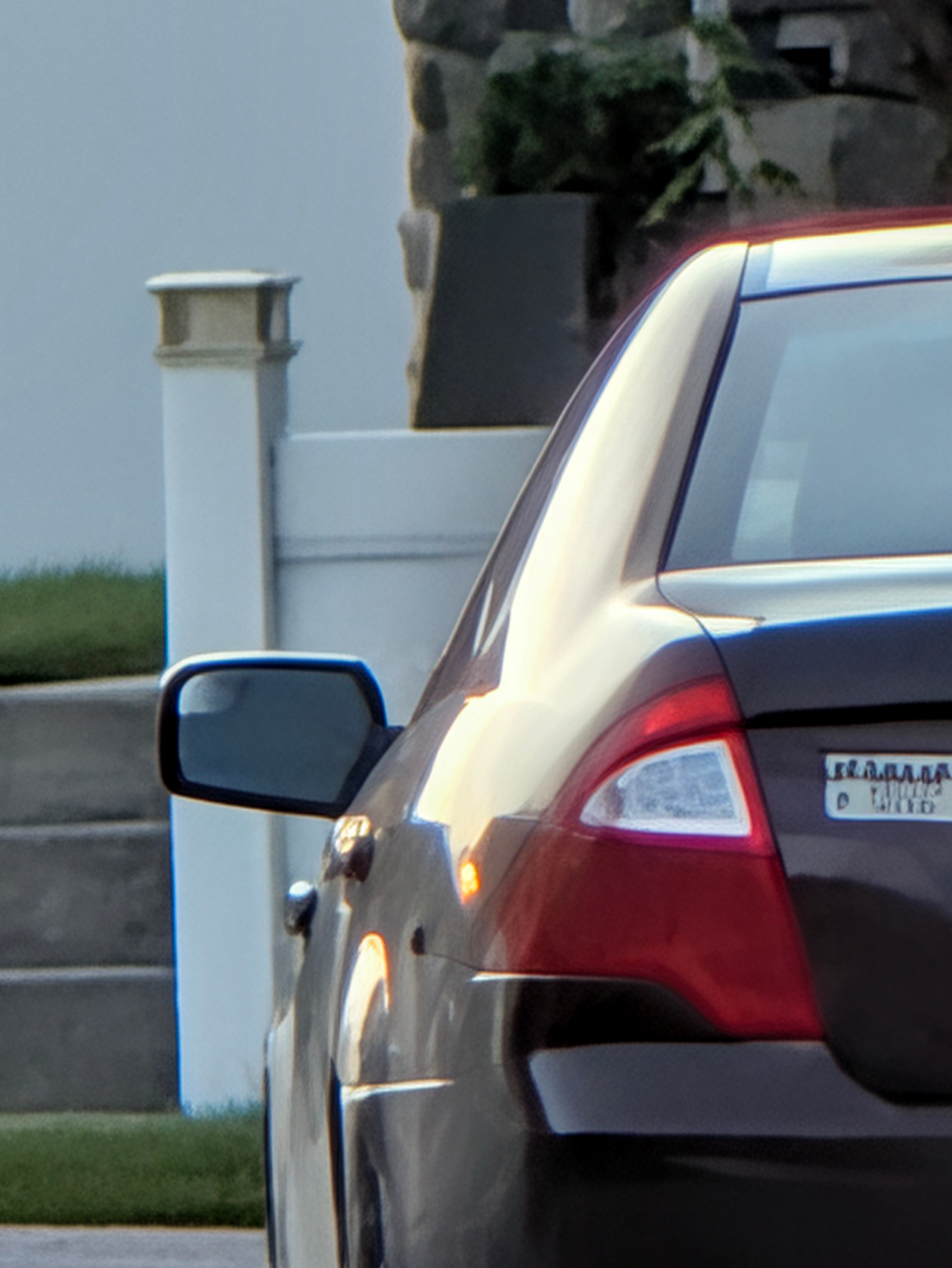
The phone can push beyond to a digital 30x zoom equivalent, but the image quality is noticeably cropped. However, Google has also increased the Pro Zoom AI-generated 100x range to a further 120x range now. This technology takes the woefully poor resolution of a 120x zoom crop and digitally enhances it using generative AI. Beyond the ethical questions, the result is actually usable, especially if the final output is just social media. However, the generative enhancement can only effectively be applied to non-human subjects, and any text will be guessed at with nonsense shapes if the source writing is too small or otherwise undecipherable. An extra 20x zoom at this already far reach is an incredibly minor improvement, regardless of how you feel about the technology.

Google Pixel 10 Pro XL Review: How It Shoots
If there isn’t much to talk about with hardware improvements, then that is because Google instead chose to make changes to the software this time around. The first one to tackle is the Magic Capture mode.
Effectively, Magic Capture works by allowing the user to record a memory or moment in video and then lets the phone pick out ideal images to document the event as stills. The Pixel will largely decide this based on faces looking at the camera and smiling, interesting colors and backgrounds, as well as moments of action. Think of it like an extended pre-capture mode on a mirrorless camera, except you don’t get every photo and you don’t decide which ones to keep, at least not initially.


You end up with a 1080p resolution video that you can use as you see fit and a series of high-quality 12-megapixel images from key moments throughout that clip. You can scrub through the video manually as well and create any images you want if you don’t think the phone’s intelligence did a good job picking on its own.
Herein lies the real beauty of this system: you simply record the moment happening and decide later what you want to keep. There is no need to split your attention between capturing video of an event and taking photos, too. The only trade-off is that the initial video capture isn’t well stabilized and is lower resolution, although you can upload the file and have the Google servers boost the quality afterwards if you want.
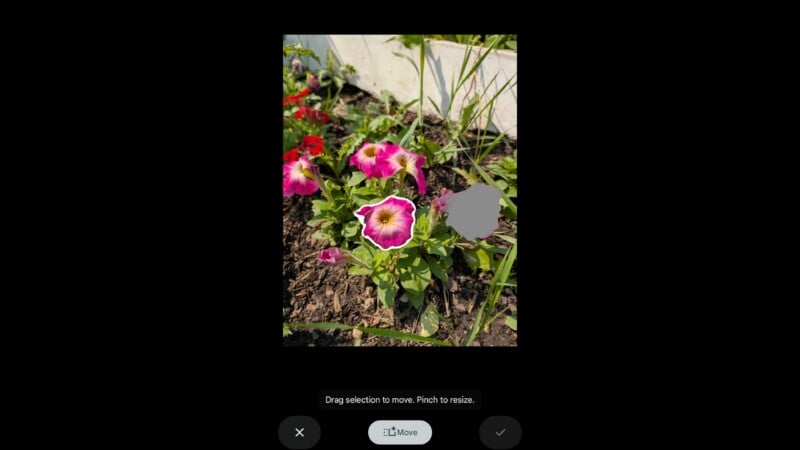
I’m really not a proponent of too much generative AI involved in my imagery, although some applications of the technology can be legitimately useful, and Magic Capture tends to land in that latter spot. I find it useful to have tools that will erase distractions of my choosing in the frame, but I’m not into changing skies or cutting objects and moving them around the frame.
I don’t want to generate new imagery or radically alter the subjects of my images, and Google has historically gone deep into the generative AI toolset, with the ability to upload images and have the servers wildly alter them.
This is why I was so surprised to see the Pixel 11 scale back this mindset somewhat with its latest phone.

Gone is the “Reimagine” function, which would let you access generative imagery with one button press. You will still find tools like the Magic Eraser and Move in the actions tab now, but any generative AI is now done via the Gemini assistant using Nano Banana, which is a separate interface. I tried this process to understand it and actually found it to be a frustrating experience. All the more reason to happily ignore it, and I’m glad it’s no longer a camera app function.
That doesn’t mean using Generative AI is gone, it’s just a more elongated process. You can still upload an image to Gemini, draw circles around areas and ask the software to add or change things, and you still get a relatively fake-looking result out of it. From there you have to download the finished image again, and send it into your photo gallery app. It’s a convoluted process, especially compared to last year’s setup, and — don’t get me wrong — I’m all for it being annoying. I’m just surprised Google is de-coupling AI from the experience to this degree after years of pushing it in our faces.
The result of this change is a deeper user experience in the camera app when it comes to actually making images. I like that I can choose to have quick controls for color filters and exposure changes right off the screen, or I can delve into the rather deep menus below my frame. I feel like the Pixel 11 Pro series provides plenty of customization and control of my images if I want to be more hands-on, but is still simple enough to be usable for casual users to enjoy. This shift in the control scheme and creative control is best exemplified with the new Looks color presets that are now available.
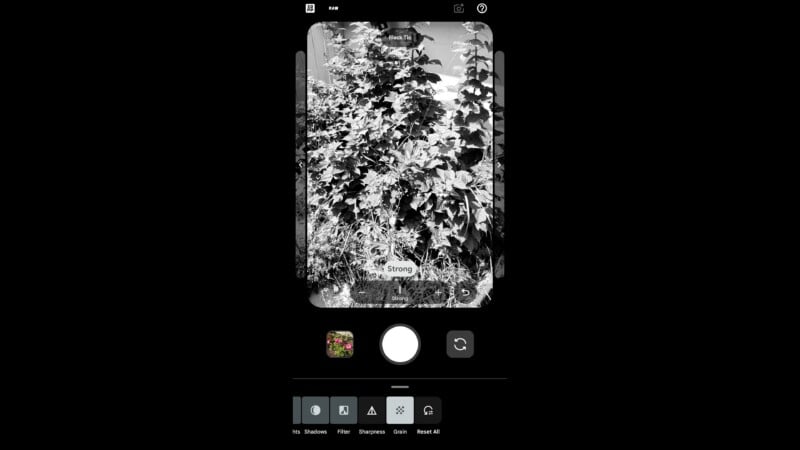
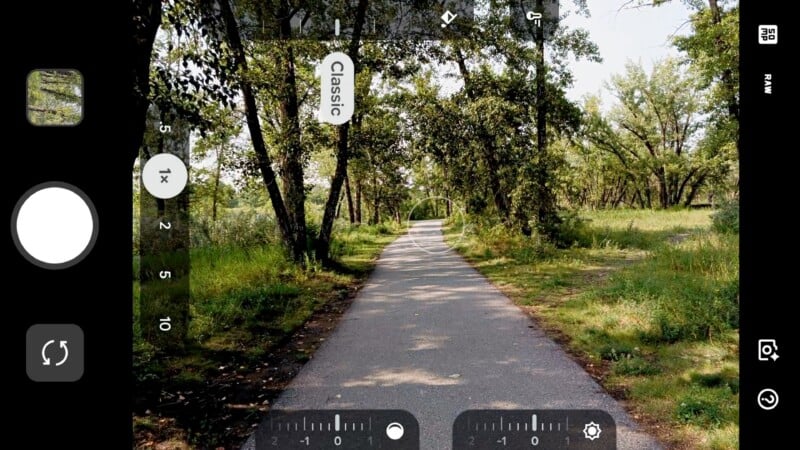
The Looks tab brings up a series of color presets that apply any changes within the imaging pipeline. Rather than lay a color change on top of an existing image, these looks create the image as if it was taken that way in the first place. This allows for a meaningful amount of customization and color control within each preset. The premise is that image quality isn’t about always maximizing dynamic range or usable exposure, but is instead about achieving a feel or mood with our images that goes beyond numbers and values.
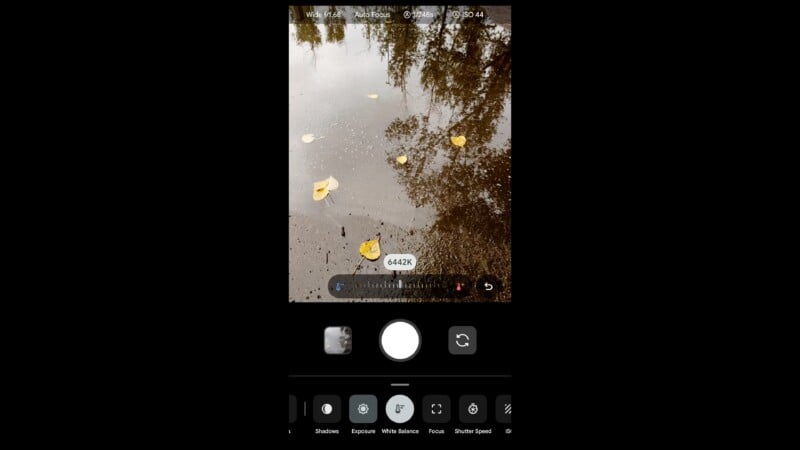

The standard color mode has the option to deepen shadows or go with a softer color palette, and presets such as editorial or black tie tend to push the contrast higher. I like the Classic look with its warmer tones and controlled highlights, but some may prefer the Digi look with its lo-fi rendering and blown dynamic range.
What’s also important to understand is that each of these is simply a starting point that you can tweak, with full control of exposure, contrast, sharpness, white balance, tint, and more.
You can make each of these looks work for you in a way that you enjoy, and I found this to be a refreshing change from the AI-everything approach that most phones use. The RAW files that you get will also save these changes baked in, so advanced users might still want to stick to a more generic approach and edit untouched RAW files in post, but most smartphone users want to discover their own way of rendering images and will appreciate the convenience of having the look fixed right out of the gate. You can also largely reverse the look of the DNG files that are produced, such as changing back to color in the Black Tie look or recovering lost highlights from the more dramatic looks.


Google Pixel 10 Pro XL Review: Video Features
The experience of shooting video on the Pixel 11 Pro is largely the same as last year, with a few new features. As before, it is capable of recording 4K video up to 60p, with the option to “Boost” the video to uncompressed 8K by uploading it to Google’s servers. There will of course be an improvement to footage shot with the telephoto camera due to the new larger sensor, but the process can take many hours to finalize.
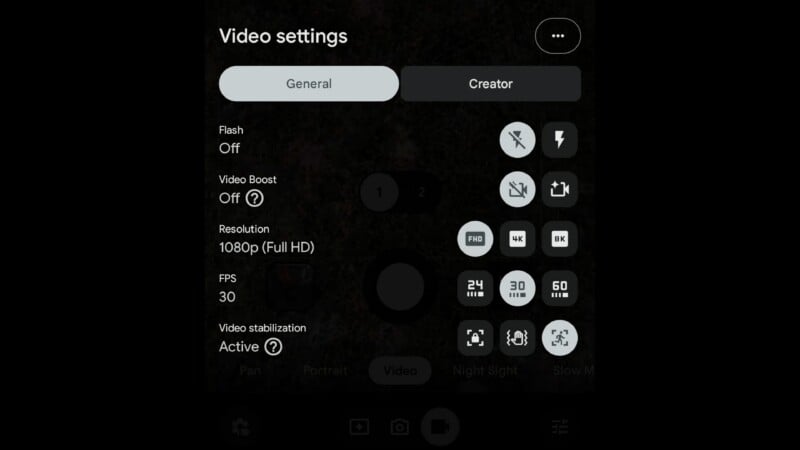
The major new improvement to video quality comes from the new “Active Stabilization.” Similar to what Apple has offered for a few years, this mode switches to a wider camera and crops in to maximize digital stabilization. Oddly, it is only available in 1080p at 30p, with no support for 24p or 60p. This does certainly smooth out some bounce, but video quality also drops noticeably when using this feature.
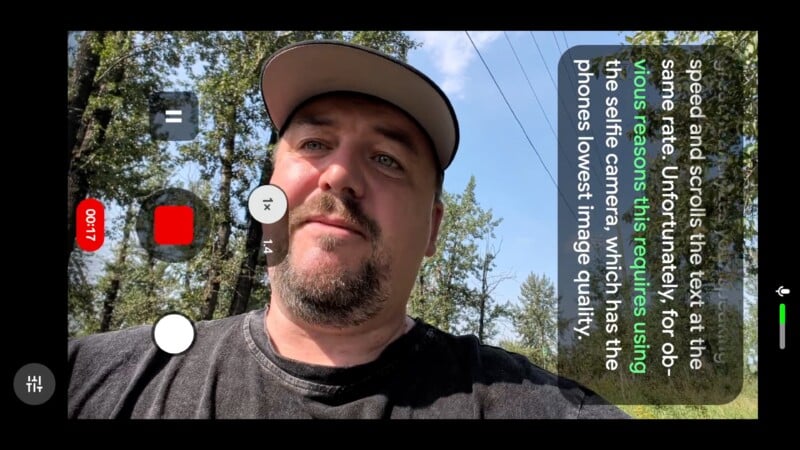
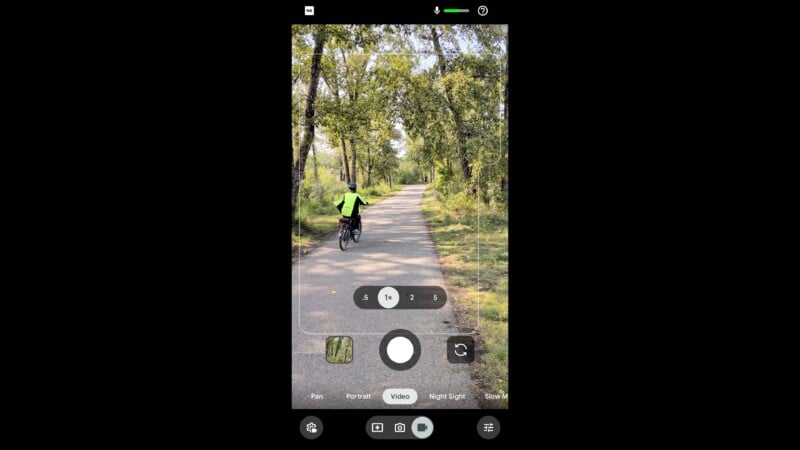
The other major addition is the new “Creator” menu, which has several social media-targeted features. Most notable of these is the Teleprompter tool, which will display text on screen and automatically scroll at your talking speed. This works great, but obviously requires that you use the selfie camera to maintain access to the display, and that is the Pixel 11 Pro’s weakest camera. Beyond that, the text won’t flip for horizontal orientation, so you need to shoot in vertical mode to see your script properly. That feels like a particularly bizarre omission.
There is also a “Speech Enhancement” tool which applies digital filters to remove background noise. It works quite well, and doesn’t introduce a lot of digital artifacts into the soundtrack. We also have some small display features, like “Audio Visualizer,” which displays your audio levels, which is hardly a breakthrough technology, and “Social Media Grid”, which helps you frame for both 16:9 and 9:16. Bear in mind, though: using either of those frames will result in a substantial crop.
Google Pixel 10 Pro XL Review: Incremental Improvement
Many of this year’s improvements are incremental, which is what I’ve come to expect from smartphones and even full-size cameras in recent years. With a scant few exceptions, this has become the norm.
Most of the features that were introduced were pretty minor as well, although I can see how the Magic Capture function can be legitimately useful. It’s just a shame that the captured video has so many compromises.
Hardware changes are always positive and should be celebrated. The new telephoto camera is a much-needed improvement, and I liked the results. The new G6 Tensor processor also gave noticeably faster operation of image processing, and I really appreciated the lack of wait times to do high-res modes and Night Sight photography. Although low-light quality and portrait modes give very similar results to last year’s Pixel, the usable quality was already excellent, and the processing times are now far more convenient.

As far as the camera applications go, I was pleasantly impressed by the Pixel 11 Pro. I also appreciate the pull back on the AI-everything front, as minor as this change of direction might seem. The camera app feels more creative and less generative, and I support that move.
Unfortunately, the rising costs of memory and storage are going to hurt potential buyers here. Google is offering a 12GB of RAM version of the phone, which will be faster than last year’s phone by virtue of the improved processor, but the experience might not reflect that as the lower memory will slim the margins by which speed improves. To get a substantial improvement, you’ll need to go with the 16GB of RAM Pixel 11 Pro XL with 512GB of storage, and that starts at $1,419, and it goes up from there. As usual with smartphones across the board, I would only consider upgrading if you have a phone from at least a couple of generations back.


Are There Alternatives?
In North America, the main alternative will be the Samsung S26 Ultra, which will be a similar price for similar storage. I like the general camera capabilities, but Samsung is going hard and heavy towards integrated generative AI support within its camera app. If you want to play with AI, it is the more intuitive choice, but the Pixel feels more like a photographer’s phone. The Samsung S26 might also be a better video camera choice given its native 8K resolution and built-in support for log capture.
If you have access to other phone options and care about photography first and foremost, then I highly recommend the Xiaomi 17 Ultra .
Should You Buy It?
Yes, if only because North America has a limited number of high-end Android options that are easily available, and the Pixel feels like a more creative choice. If you are willing to bring in phones that your mobile carrier might not offer, you will find far more capable photographic options.