Download NVIDIA GeForce Game Ready 472.12 WHQL
Software are provided AS IS and any warranty or damage claims against VideoCardz.com in connection therewith are hereby excluded.
Highlights

Game Ready For Windows 11
Throughout NVIDIA’s history, we’ve supported every new Windows operating system at release with dedicated drivers, ensuring our customers receive optimized performance and access to the latest Windows features. Today, we have released our Game Ready and NVIDIA Studio drivers for Windows 11’s October 5th official release, having supported Windows 11 preview builds with WHQL-certified drivers since June.
Gamers get full support for DirectX 12 Ultimate on GeForce RTX graphics cards and laptops, G-SYNC HDR monitor owners can enhance SDR games with Microsoft’s Auto HDR, and RTX graphic cards are primed to support DirectStorage.
Creators and workers receive new ways to organize and manage their desktops using snap tools, enhanced multi-monitor functionality, and advanced support for touch screens, voice controls, and pen input devices.
Folks relying on web calls and video conferencing will find innumerable improvements, along with integrated Microsoft Teams, and NVIDIA Broadcast enhancements thanks to under the hood Windows 11 changes.
And STEM students will now have access to NVIDIA’s world-leading AI software platform directly on their Windows 11 PCs; CUDA on Windows Subsystem for Linux (WSL) makes it possible for STEM students to run GPU-accelerated AI using a variety of frameworks and applications.
Game Ready For Eight New Games
The next few weeks are packed with big game releases, and our newest Game Ready Driver delivers optimized support for them all.
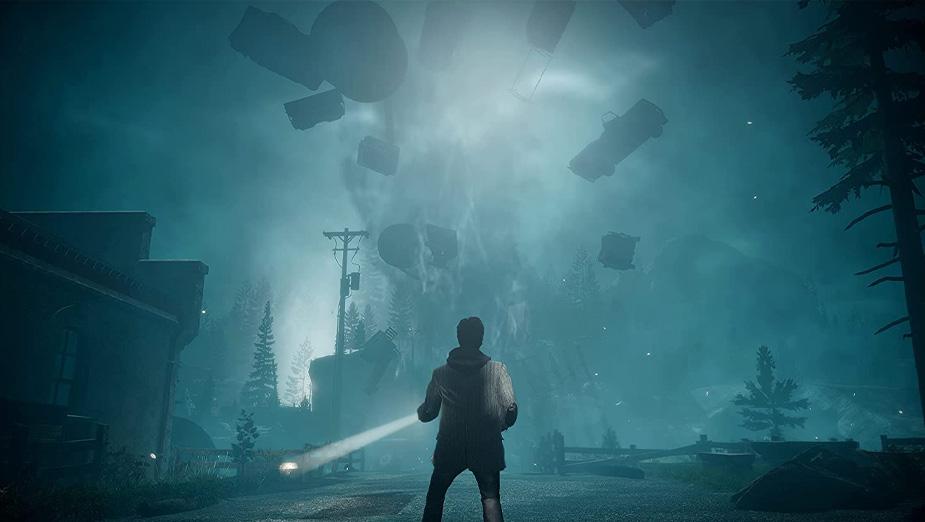
- Alan Wake Remastered : Remedy Entertainment has revamped their 2010 action-adventure game for a new generation of hardware. Available October 5th, with both story expansions included, Alan Wake Remastered also features NVIDIA DLSS, accelerating frame rates by up to 2X at 4K. Check out our dedicated DLSS article to learn more about Alan Wake Remastered and the 28 DLSS games added to our supported list this month.
- Deathloop : Today’s Game Ready Driver includes support for NVIDIA Reflex in the newly-released, critically acclaimed action game from Arkane. Switch Reflex on in the game options, and your system latency will be reduced by up to 40%, for a more responsive experience. Learn more in our new NVIDIA Reflex article.
- Diablo II: Resurrected: The Y2K action-RPG classic and it’s Lord of Destruction expansion pack have received a visual overhaul in Diablo II: Resurrected. Out September 23rd, the remaster boasts 16:9 and 4K support, a Battle.net integration for easy multiplayer, and a toggle that instantly switches you back to original graphics.
- Far Cry 6 : Launching October 7th, Ubisoft’s Far Cry 6 sees players running and gunning across the fictional country of Yara, to take down a dictator played by Breaking Bad’s Giancarlo Esposito.
- Hot Wheels Unleashed : Create and race on your own Hot Wheels tracks, hosted in real world environments, where everyday objects can become part of your course. Available September 30th.
- INDUSTRIA : Travel to an alt-reality Cold War East Berlin in INDUSTRIA to fight through a single-player first-person shooter that features ray tracing and NVIDIA DLSS-accelerated graphics on GeForce RTX PCs.
- New World : Amazon’s New World massively multiplayer online role-playing game launches September 28th, following a recent open beta that was sampled by hundreds of thousands of gamers.
- World War Z Aftermath : Saber Interactive’s co-op zombie shooter hits Steam on September 21st as World War Z: Aftermath. Included is a bunch of new content, on top of everything from World War Z: Game of the Year Edition, as well as a new, optional first-person perspective for more immersive zombie slaughtering.
New Games Supported By GeForce Experience’s Optimal Settings
GeForce Experience’s one-click optimal settings enable you to instantly configure game options for your system’s hardware, giving you smooth, optimized gameplay. Over 1000 titles are supported, and since our last driver release we’ve added support for 10 more:
- Bravely Default II
- Deathloop
- GRIT
- Icarus
- Myst (2021)
- NBA 2K22
- Pathfinder: Wrath of the Righteous
- The Legend of Heroes: Hajimari No Kiseki
- Twelve Minutes
- Vampire: The Masquerade – Bloodhunt
GeForce Experience also enables you to capture and stream your gameplay, take screenshots, upload videos to social networks, and more. For all the details, head here.
Test Drive New NVIDIA DLAA (Deep Learning Anti-Aliasing) On Elder Scrolls Online Test Servers
Many gamers want higher frame rates. But others have plenty of FPS and instead want to maximize image quality. NVIDIA DLAA (Deep Learning Anti-Aliasing) is a new AI-based anti-aliasing mode for users who have spare GPU headroom and want higher levels of image quality. DLAA uses the same technology developed for DLSS, but works on a native resolution image to maximize image quality instead of boosting performance. The first implementation is available today on the Elder Scrolls Online test servers.
Fixed Issues
- [Watch Dogs Legion]: Stuttering may occur in the game with ReBAR enabled. [3356008]
- [Battlefield V][DirectX 12]: The game may crash with HDR enabled. [3353767]
- [Redshift3D]: GPU clocks may get stuck at the maximum rate. [3324452]
- [NVIDIA Control Panel]: After overinstalling the driver using express install when GPU scaling is enabled, the 0.59x upscaling factor is missing from the NVIDIA Control Panel scaling resolution list (Display > Change Resolution page). [200765424]
Known Issues
- [Deathloop][HDR]:TDR/corruption occurs in the game with Windows HDR enabled. If this issue occurs, toggle the Windows HDR setting.
- [YouTube]: Video playback stutters while scrolling down the YouTube page. [3129705]
- Tom Clancy’s The Division 2 may display graphical artifacts. [200754013]
- Sonic & All-Stars Racing Transformed may crash on courses where players drive through water. [3338967]
Package Contents
- NVIDIA RTX Desktop Manager – 202.03
- HD Audio Driver – 1.3.38.60
- NVIDIA PhysX System Software – 9.19.0218
- GeForce Experience – 3.23.0.74
- CUDA – 11.4
Product Compatibility
| Driver Compatibility | |
|---|---|
| DESKTOP | |
| NVIDIA TITAN | NVIDIA TITAN RTX, NVIDIA TITAN V, NVIDIA TITAN Xp, NVIDIA TITAN X (Pascal), GeForce GTX TITAN X, GeForce GTX TITAN, GeForce GTX TITAN Black, GeForce GTX TITAN Z |
| GeForce RTX 30 | GeForce RTX 3090, GeForce RTX 3080 Ti, GeForce RTX 3080, GeForce RTX 3070 Ti, GeForce RTX 3070, GeForce RTX 3060 Ti, GeForce RTX 3060 |
| GeForce RTX 20 | GeForce RTX 2080 Ti, GeForce RTX 2080 SUPER, GeForce RTX 2080, GeForce RTX 2070 SUPER, GeForce RTX 2070, GeForce RTX 2060 SUPER, GeForce RTX 2060 |
| GeForce 16 | GeForce GTX 1660 SUPER, GeForce GTX 1650 SUPER, GeForce GTX 1660 Ti, GeForce GTX 1660, GeForce GTX 1650 |
| GeForce 10 | GeForce GTX 1080 Ti, GeForce GTX 1080, GeForce GTX 1070 Ti, GeForce GTX 1070, GeForce GTX 1060, GeForce GTX 1050 Ti, GeForce GTX 1050, GeForce GT 1030, GeForce GT 1010 |
| GeForce 900 | GeForce GTX 980 Ti, GeForce GTX 980, GeForce GTX 970, GeForce GTX 960, GeForce GTX 950 |
| GeForce 700 | GeForce GTX 780 Ti, GeForce GTX 780, GeForce GTX 770, GeForce GTX 760, GeForce GTX 760 Ti (OEM), GeForce GTX 750 Ti, GeForce GTX 750, GeForce GTX 745, GeForce GT 740, GeForce GT 730, GeForce GT 720, GeForce GT 710 |
| GeForce 600 | GeForce GTX 690, GeForce GTX 680, GeForce GTX 670, GeForce GTX 660 Ti, GeForce GTX 660, GeForce GTX 650 Ti BOOST, GeForce GTX 650 Ti, GeForce GTX 650, GeForce GTX 645, GeForce GT 640, GeForce GT 635, GeForce GT 630 |
| MOBILE | |
| GeForce RTX 30 | GeForce RTX 3080 Laptop GPU, GeForce RTX 3070 Laptop GPU, GeForce RTX 3060 Laptop GPU, GeForce RTX 3050 Ti Laptop GPU, GeForce RTX 3050 Laptop GPU |
| GeForce RTX 20 | GeForce RTX 2080 SUPER, GeForce RTX 2080, GeForce RTX 2070 SUPER, GeForce RTX 2070, GeForce RTX 2060 |
| GeForce MX | GeForce MX450, GeForce MX350, GeForce MX330, GeForce MX250, GeForce MX230, GeForce MX150, GeForce MX130, GeForce MX110 |
| GeForce GTX 16 | GeForce GTX 1660 Ti, GeForce GTX 1650 Ti, GeForce GTX 1650 |
| GeForce 10 | GeForce GTX 1080, GeForce GTX 1070, GeForce GTX 1060, GeForce GTX 1050 Ti, GeForce GTX 1050 |
| GeForce 900M | GeForce GTX 980, GeForce GTX 980M, GeForce GTX 970M, GeForce GTX 965M, GeForce GTX 960M, GeForce GTX 950M, GeForce 945M, GeForce 940MX, GeForce 930MX, GeForce 920MX, GeForce 940M, GeForce 930M |
| GeForce 800M | GeForce GTX 860M, GeForce GTX 850M, GeForce 845M, GeForce 840M, GeForce 830M |