微軟昨日(7)宣佈 Windows 11 22H2更新預覽版已釋出給企業用户試用,正式版將於今年下半釋出。
註冊Windows Insider Program for Business的企業,將可透過Windows Update、 Windows Update for Business、Windows Server Update Services(WSUS)、Windows Insider Preview下載頁、Azure Marketplace等管道下戴。
而配合這波軟體釋出,微軟也將對企業用户提供免費支援,協助企業及早測試及做好部署規畫。微軟表示Windows 7、8.1及Windows 10上的應用程式都可在Windows 11執行。若碰到有和22H2的App相容問題, 微軟則提供App Assure with Microsoft FastTrack技術支援 。
Windows 11 22H2更新預覽版是非強制性更新。透過Windows Update設定頁、或Windows Update for Business政策頁設定加入Insider Program Release Preview Channel的公司電腦,將會自動接收到最新預覽版。不想升級的Windows 10用户,可以在安裝設定時選擇「Stay on Windows 10 for now(暫時留在Windows 10上)」。執行Windows 11的電腦用户則應記得不要選擇下載安裝。
安裝Windows Server Update Service (WSUS)的公司環境,可啟用Windows Insider Pre-release類別同步下載,或使用Microsoft Endpoint Configuration Manager」。前者環境中它會出現控制台上。微軟提醒,如果機器設定傳送診斷資料,若硬體規格不符合要求,WSUS會顯示無法安裝Windows 11 22H2。
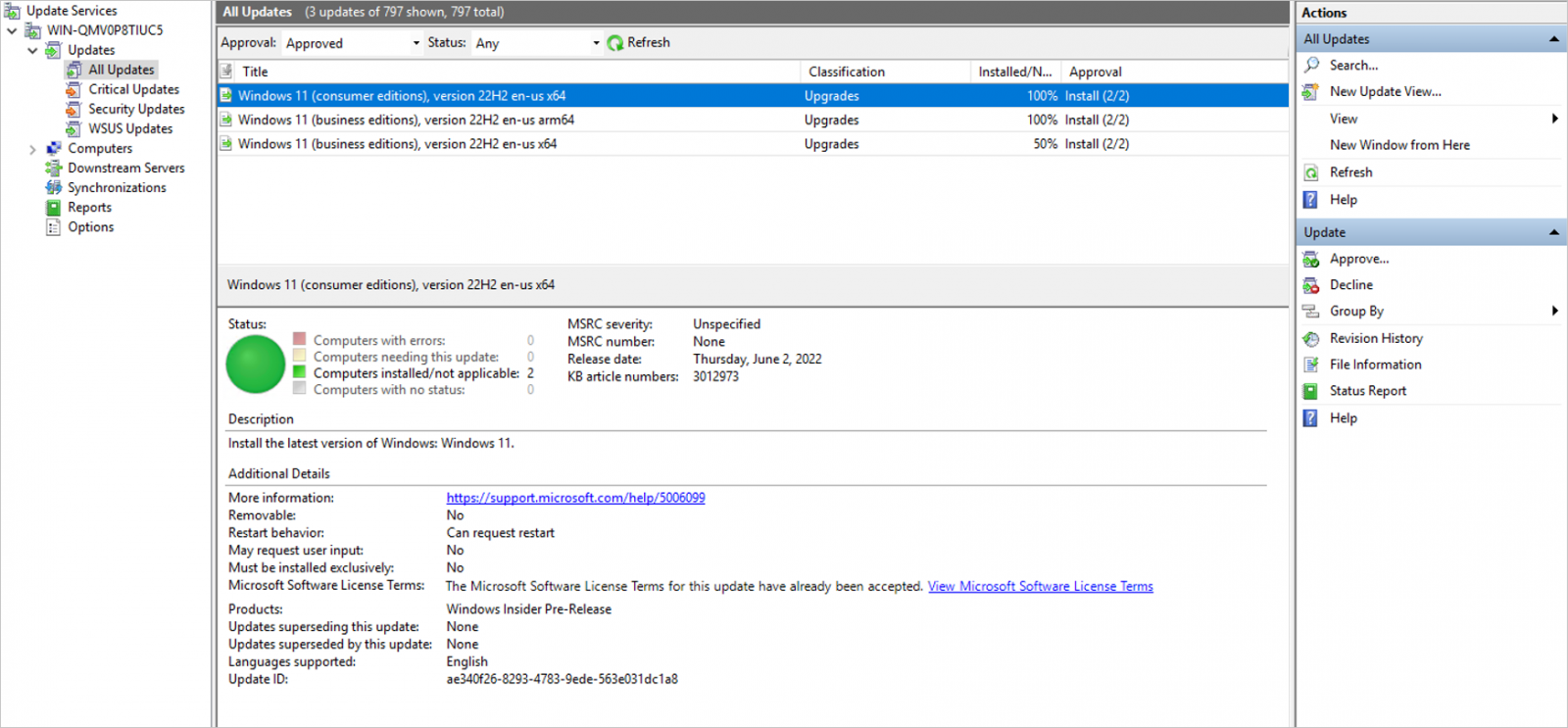
圖片來源/微軟
若選擇從Insider Preview下載頁下載,則可在「選擇版本」頁面選擇Windows 11 Insider Preview(Release Preview Channel)- Build 22621下載ISO檔。全新安裝(clean installation)的情境中,預覽版會使用現有Windows 10授權碼或以Azure AD啟動,無需新的Windows 11授權碼。
以Azure Marketplace下載者,可到 Windows 11預覽頁 下載。

圖片來源/微軟
根據微軟規畫 ,Windows 11將會以一年一次的頻率提供功能更新,於每年下半釋出。更新後就會啟動技術支援期,Home、Pro、Pro for Workstations及Pro Education版提供24個月支援,Enterprise及Education版則提供36個月支援。