
Why it matters: Apple introduced Live Text with the release of iOS 15 and macOS Monterey. It allows users to copy text from any image and paste it into a document or message. Windows users should be getting a similar feature in their PowerToys tool box called PowerOCR.
The latest addition to Microsoft's PowerToys suite is a tool called Meet PowerOCR. Created by Windows app developer Joseph Finney, the feature allows users to pull text from images using OCR — optical character recognition. It is not exactly unchartered waters in Windows, as it is already possible to use OCR in One Note, but there has never been a dedicated tool. Optical character recognition has been available on macOS and iOS for quite some time with Live Text, while Windows users have had to make do with third-party software such as Text Grab , on which PowerOCR is based.
Finney announced the tool on July 4, 2022, through a Github pull request. He explained that OCR is performed "by selecting a rectangular region, clicking a word, or right-clicking an image file and selecting PowerOCR."
PowerOCR is still in its development stages with no set release date, and it is one of two new tools to be added to PowerToys --Screen Ruler was also announced recently. Finney is posting his progress on Github , and with most of the core functionality already in place (thanks to Text Grab), we should see a release within the next few months.
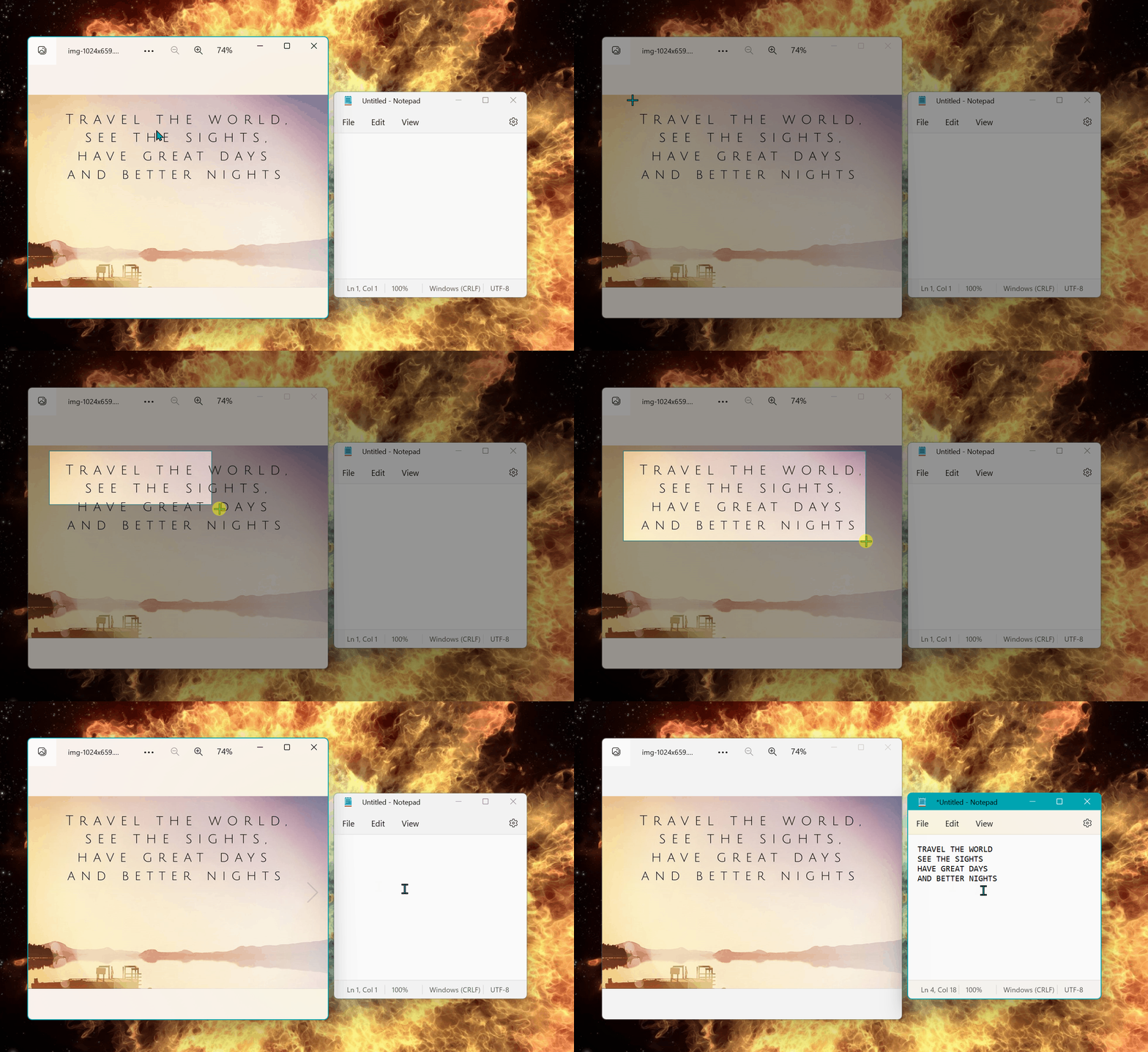
Microsoft PowerToys is a suite designed for power users to streamline their Windows experience and increase productivity. It already boasts a robust toolkit that includes a Color Picker and Image Resizer. Color Picker enables users to extract a color code from anywhere on the screen, while Image Resizer allows users to resize multiple images simultaneously. The upcoming Screen Ruler will feature four measuring modes, letting users measure things like rectangular areas and distance between objects in pixels.
Unlike Live Text which is native to macOS and iOS, PowerToys does not come with Windows and needs to be installed separately. It is an open-source project available for free from the Microsoft Store. Alternatively, you can grab it on our Download page . It is compatible with Windows 10 and Windows 11.