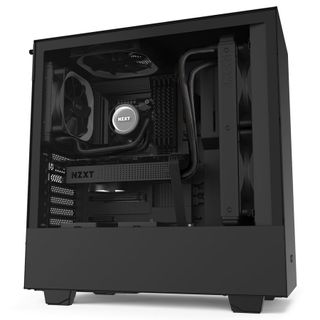
Finding the right chassis is a big deal. A good case can last you multiple generations of upgrades. In fact some of us here in the Tom’s Hardware labs, have cases that have spanned near a decade of use. But what do you look for in a case?
Well for this journalist, it all starts with the design, internally it needs to be easy to build in, with modern features such as rear mounted SSDs, a full size PSU cover, good support for AIOs, tempered glass, and maybe even a radiator bracket. If that sounds like I’m lining up those features with this case, it’s because I am. NZXT’s H510 is currently on sale for just under $70, that’s a 13% saving off its retail price, and a fine bargain if we do say so ourselves.
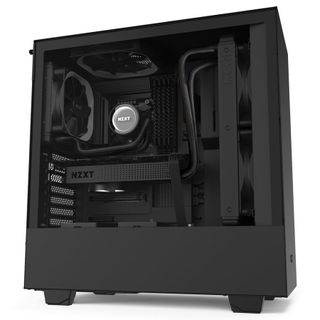
NZXT H510 Mid-tower Chassis Black/Black: was $80, now $70
This mid-tower chassis is ideal for those looking to build a clean mid-range system. Complete with tempered glass, impressive cable management, and support for up to a 280mm AIO in the front, it’s sure nice to look at.
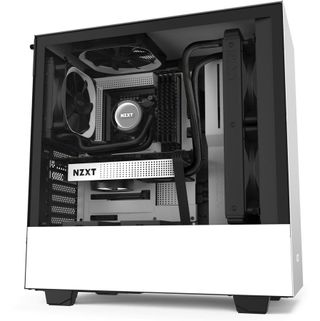
NZXT H510 Mid-tower Chassis White/Black: was $80, now $70
You won’t be able to find the white variant of this chassis on sale at Newegg as above, but if you can wait 1-2 weeks for delivery, Amazon will sell you it at the exact same price.
Specifications
| Form Factor | Mid-tower |
| Motherboard Support | ATX, Micro-ATX, ITX |
| Colors Available | Black/Black, Black/Red, White/Black |
| 3.5” Drive Support | 2+1 |
| 2.5” Drive Support | 2+1 |
| Radiator Support | 280/240mm front, 120mm rear |
| Fan Support | 2x 140/120mm front, 1x 140/120mm roof (included), 1x 120mm rear (included) |
| Dimensions | 210x460x428 mm |
| Graphics Card Clearance | 325mm |
| CPU Tower Clearance | 165mm |
| Weight | 6.6kg |
Not For The High End?
Aside from its looks, which are heavily inspired by NZXT’s own S340 Elite released way back when in 2017, the NZXT H510 is ideally aimed at the mid-range market. Air intake is provided via around 2-inches of ventilation holes drilled out of the rear panel of the chassis, with a further cutout located underneath the front panel. While this is more than acceptable for say an AMD Ryzen 7 3900X , and an Nvidia GeForce RTX 2080 , we wouldn’t advise you run a dual GPU system or any high-end desktop processor in this build. Not least of all as you’re limited by AIO support. As the H510 only supports up to a 280mm liquid-cooler in the front, it would be ill-advised to run an AMD Threadripper or latest gen Intel HEDT part in this build.
Even with that in mind, if you do install an AIO in the front, be prepared for slightly warmer internal temperatures for your GPU, as the intake fans will be pushing cool air through the radiator and straight at the graphics card, after it’s been heated by the radiator while cooling the processor. We’re talking probably 5-10 degrees at most here, although your processor will be that much cooler as well, so the delta difference will be marginal. Results may vary dependent on what your ambient temperatures are.
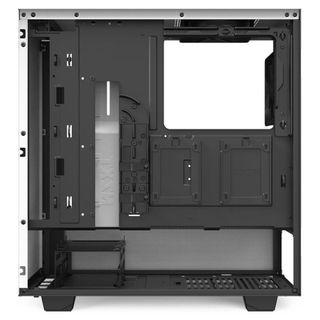
Otherwise the building experience is fairly sound. You get some solid cable management opportunities thanks to the included cable bar, and routing channels in the back of the case. There’s a removable radiator bracket to make installing that AIO easier, a full-length PSU cover to help hide your unwanted or unused cables, and a cable cutout in it too, to allow you to run your PCIe power cables straight up to your graphics card without worry.
One thing we would recommend if you’re not running an AIO in the front, is that you either install two fans in the front anyway, or move the two included fans to the front instead. Just to improve internal airflow and temperatures in the process.