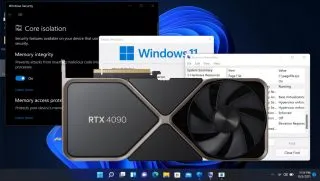
Remember back when Windows 11 launched and there was a concern about how the default of enabling Virtualization Based Security (VBS) and HyperVisor-Enforced Code Integrity (HVCI) might impact performance? There was a lot of noise made, benchmarks were run ... and then we all moved on. Flash forward to 2023, and I recently discovered that sometime in the past few months, the PC I use for the GPU benchmarks hierarchy received an update that turned VBS back on. (We have an article on how to disable VBS should you want to).
Windows 10 also has this setting and it may also be enabled by default now. Tom's Hardware Editor-in-Chief Avram Piltch uses Windows 10 Home on his main desktop and found that VBS appeared to be enabled even though he never touched the setting and he had clean installed Windows over the summer.
This worried me, because I'm already in the middle of retesting all the pertinent graphics cards for the 2023 version of the GPU hierarchy, on a new testbed that includes a Core i9-13900K CPU, 32GB of DDR5-6600 G.Skill memory, and a Sabrent Rocket 4 Plus-G 4TB M.2 SSD. Needless to say, you don't put together best-in-class parts only to run extra features that can hurt performance.
So I set about testing, and retesting, performance of the fastest graphics card, the GeForce RTX 4090 , with and without VBS enabled. After all, we're now two new CPU generations beyond what we had at the Windows 11 launch, and with faster CPUs and new architectures, perhaps VBS has even less of an impact than before. At the same time, we're also using new GPUs that deliver substantially more performance than the RTX 3090 , which was the fastest GPU back in 2021, which could make CPU bottlenecks and extras like VBS more of a hindrance than before.
Intel Core i9-13900K (opens in new tab)
MSI MEG Z790 Ace DDR5 (opens in new tab)
G.Skill Trident Z5 2x16GB DDR5-6600 CL34 (opens in new tab)
Sabrent Rocket 4 Plus-G 4TB (opens in new tab)
be quiet! 1500W Dark Power Pro 12 (opens in new tab)
Cooler Master PL360 Flux (opens in new tab)
Windows 11 Pro 64-bit
You can see our test PC hardware, using Nvidia's 528.49 drivers (which have now been superseded, thrice). Let's get straight to the results, with our updated test suite and settings that consist of a battery of 15 games, at four different settings/resolution combinations. We're going to summarize things in a table, split into average FPS on the left and 1% low FPS (the average FPS of the bottom 1% of frametimes) on the right.
To be clear, all of the testing was done on the same PC, over a period of a few days. No game updates were applied, no new drivers were tested, etc. to keep things as apples-to-apples as possible. The one change was to disable VBS (because it was on initially, the Windows 11 default).
Each test was run multiple times to ensure consistency of results, which does bring up the one discrepancy: Total War: Warhammer 3 performance is all over the place right now. I don't recall that being the case in the past, but sometime in February or perhaps early March, things seem to have changed for the worse. (I'm still investigating the cause.)

Taking the high level view of things, perhaps it doesn't look too bad. Disabling VBS improved performance by up to 5% overall, and that dropped to just 2% at 4K ultra. And if you're running this level of gaming hardware, we think you're probably also hoping to run 4K ultra. But even at our highest possible settings, there are still some noteworthy exceptions.
The biggest improvement overall comes in Microsoft Flight Simulator , which makes sense as that game tends to be very CPU limited even with the fastest possible processors. Turning off VBS consistently improved performance in our RTX 4090 testing by around 10%, and the 1% lows increased by as much as 15%.
Not coincidentally, Flight Simulator is also one of the games that absolutely loves AMD's large 3D V-Cache on the Ryzen 9 7950X3D . Our CPU tests use a different, less demanding test sequence, but even there the AMD chips with large caches are anywhere from about 20% ( Ryzen 7 5800X3D ) to 40% (7900X3D) faster than the Core i9-13900K. Perhaps VSB would have less of an impact on AMD's X3D CPUs, but I didn't have access to one of those for testing.
Another game that tends to bump into CPU bottlenecks at lower settings is Far Cry 6 , and it also saw pretty consistent 5% or higher increases in performance — noticeable in benchmarks, but less so in actual gaming. Interestingly, Cyberpunk 2077 with ray tracing enabled also still saw about 5% higher performance. That's perhaps because the work of building the BVH structures for ray tracing calculations happens on the CPU; many of the other ray tracing games also showed 5% or higher increases.
What about games where VBS didn't matter much if at all? Bright Memory Infinite (the standalone benchmark, not the full game) showed almost no change, and Minecraft only showed a modest improvement at 1080p with our more taxing settings (24 RT render chunk distance). A Plague Tale: Requiem , Borderlands 3 , Forza Horizon 5 , and Red Dead Redemption 2 also showed less impact, though in some cases the minimum FPS may have changed more.
(And again, I'm not really saying anything about Total War: Warhammer 3 as performance fluctuated far too much. Even after more than 20 runs each, with and without VBS, there was no clear typical result. Instead of a bell curve, the results fell into three clumps at the low, mid, and high range, with the 1% lows showing even less consistency. Removing its results only changes the 1% low delta by less than two percent, though.)
The biggest deltas are generally at 1080p, and it didn't seem to matter much whether we were running "medium" or "ultra" settings. That's probably because ultra settings often hit the CPU harder for other calculations, so it's not just a case of higher resolution textures or shadows.
Windows VBS: The Bottom Line
So, should you leave VBS on or turn it off? It's not quite that clear cut of a question and answer. The actual security benefits, particularly for a home desktop that doesn't go anywhere, are probably minimal. And if you're serious about squeezing every last bit of performance out of your hardware — via improved cooling, overclocking, and buying more expensive hardware — losing 5% just to some obscure "security benefits" probably isn't worth doing so disable VBS .
Having VBS turned on is now the default for new Windows installations (and I'm pretty sure one of the various Windows Updates that came out in late 2022 may have also switched it back on if it was disabled). So you can argue that Microsoft at least thinks it's important and it should be left on. However, the fact that Microsoft also has instructions on how to go about disabling it indicates the performance impact can be very real.
For a lot of people, particularly those with less extreme hardware, the performance penalty while gaming will more likely fall into the low single digit percentage points. But if you're trying to set a performance record, it could certainly hold you back.