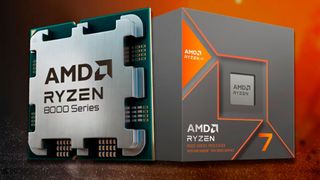
Overclocking the Radeon 780M integrated GPU in the Ryzen 7 8700G and its DDR5 memory could yield up to 37% better performance on average per benchmarks from overclocker SkatterBencher . The extreme overclocker, who has several world records under his belt, was able to overclock the 780M iGPU to 3.15GHz and DDR5 RAM to 8,000MHz to achieve an average 37% boost across all kinds of workloads. Even an overclock on just the 780M could see a 22% increase in performance.
In his detailed analysis, SkatterBencher investigated five methods for improving the 8700G's gaming performance, starting with the low-hanging fruit of enabling PBO and EXPO, then manual overclocking on the iGPU, CPU, and memory. The 8700G and its 780M graphics were run through tests like Geekbench 6 GPU and 3DMark Night Raid, and three games at 1080p, including Returnal .
| Row 0 - Cell 0 | Average Performance | iGPU Clock Speed | iGPU Power in Speed Way |
| Stock | 100% | 2,881MHz | 50W |
| PBO and EXPO | 115.68% | 2,903MHz | 69W |
| Tuned PBO and EXPO | 119.2% | 3,099MHz | 83W |
| Manual iGPU OC and EXPO | 122.31% | 3,086MHz | 156W |
| Manual iGPU and CPU OC and EXPO | 122.69% | ~3,086MHz | ~156W |
| Manual iGPU, CPU, and RAM OC | 137.75% | N/A | N/A |
With completely manual overclocking, SkatterBencher was able to achieve a peak clock speed of 3,150MHz or 3.15GHz on the 780M, and a sustained frequency of 3,086MHz. That's a fair bit higher than the stock clock speed of 2,900MHz (or 2,881MHz according to the actual benchmark numbers).
The fully manual CPU, iGPU, and memory overclock resulted in a 37.75% performance boost over the default 8700G, pushing the chip very close to low-end desktop graphics card territory. The overclocked APU's score of 39,427 sidles right up to the RX 6400's 41,211 points in a quick test for comparison. There is, though, a bit of an asterisk on this score, as SkatterBencher says the memory overclock wasn't entirely stable. Perhaps a slightly lower memory clock speed with an improvement in the mid-30s percent is more realistic.
Users who don't want to overclock and find the perfect frequency and timings for their RAM are in luck, however. Merely enabling PBO and EXPO achieved 15% higher performance, and that only required enabling those settings in the BIOS. A 22% performance boost was achieved by upgrading from PBO to a manual GPU frequency target of 3,150MHz at 1.2 volts, which is much simpler than manual tuning PBO.
Though it's clear that overclocking the 8700G can transform it from a good APU into a chip that's about on par with an actual graphics card, it's still clear it can't really replace low-end GPUs like the RX 6400 , RTX 3050 6GB, and Arc A380 . The 8700G is still really expensive for its performance level, costing $330 on its own when one of these low-end desktop cards run for $150 at most and can be paired with a cheap $100 to $150 CPU. The 8700G will also require high-end DDR5 memory if you want to have any chance of achieving an 8,000MHz frequency on the RAM, which clearly influences the 780M's performance the most.
Plus, the 780M gets very hot with an overclock, and consumed 156 watts with a manual GPU overclock. That's more power than the RTX 4060 uses, which is absurd considering how much faster the 4060 is. Even with PBO (tuned or otherwise), the 780M eats up 69 to 83 watts, which is equivalent to the 6400 and its 75 watt TDP. Under a combined CPU and GPU workload, SkatterBencher showed the 8700G could hit a whopping 260 watts with manual overclocking. In other words, you're going to need a very good cooler for a heavily overclocked 8700G.