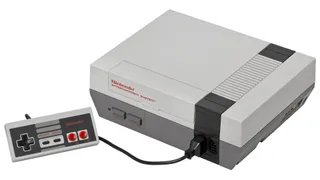
We've seen tons of solutions for running NES games on non-NES hardware , but not so much in the way of running non-NES software on the NES itself. But now, you can run Linux on the NES, as seen in a demo done by programmer and tech enthusiast DeCrAzYo . His solution relied on original Nintendo hardware alone and even included software he had to code himself.
The inspiration for this project seems to be hacks that claim to run non-NES code on the NES but do so through devices like the Raspberry Pi, which, to DeCrAzYo, is basically just using the NES as a graphics output. His goal was to run Linux on the NES's processor and within its memory using completely original hardware, which is certainly a much higher bar to clear.
The key problem is that the hardware used for the NES is massively underpowered for running Linux; there's a mere 2KB of RAM to work with, after all. Because of this limitation, DeCrAzYo decided to use a Unix-like operating system rather than an actual Linux distribution. That puts a bit of an asterisk on the whole running-Linux-on-the-NES thing since Unix-like OSes include MacOS and even arguably Windows, but it might just be close enough, and it's not like the programmer had much of a choice.
Of course, no OSes were made to run on the NES, which meant the programmer had to do some coding of his own. However, he started with LUnix or Little Unix, an OS last updated in 2004 and meant to run on the Commodore 64. The NES and the Commodore 64 are pretty different systems, though, with the latter having a whopping 64KB of RAM, a built-in keyboard, and readers for cassettes and disks.
It all works because the two consoles have very similar CPUs based on the 6502, which makes LUnix mostly compatible with the NES. Plus, to get all that keyboard and disk functionality, one just has to use a Famicon (the Japanese version of the NES) with its Disk System and keyboard accessories; the Disk System even comes with an extra 32KB of RAM. The only obstacle was modifying LUnix and writing drivers for the accessories to get it all to work, which was difficult but not impossible for the developer.
The modified version of LUnix could run on the Famicom "pretty full-featured" state, including the ability to run multiple shells and retrieve command history. As for the NES, there are no official keyboard or disk drive accessories, but DeCrAzYo demonstrated it could at least run the LUnix kernel by putting the OS onto an EverDrive-N8 cartridge (which does admittedly put another asterisk on this project).
That doesn't mean it's impossible to use LUnix on the NES. To get around this issue, the developer says, "We could create a cartridge that provides more RAM... wire up a keyboard... and even add a disk drive for good measure." DeCrAzYo opted to use the Famicom for simplicity. Still, any user could conceivably go one step further by grabbing the NES-LUnix OS from the developer's GitHub and hooking up all that hardware the hard way.