HWiNFO now has OSD
One of the most popular system monitoring tools now has its own OSD support.

Users will no longer need to install separate tools like RivaTuner Statistics Server (RTSS) to showcase system information on their screens. The new beta version of this tool now introduces its overlay (OSD – On-Screen Display) implementation.
Before diving in, it’s important to note that to use the new OSD function, one should opt for the installer instead of the portable version. This is very important as the OSD functions need to be initiated from a secure folder, like Program Files. Although the beta with OSD lacks an installer currently, it can be accessed as a portable version. The workaround involves installing the official version first and then copying the portable executable to the Program Files folder. In other words, just make sure HWiNFO64.exe is in the Program Files directory, otherwise OSD will not work.
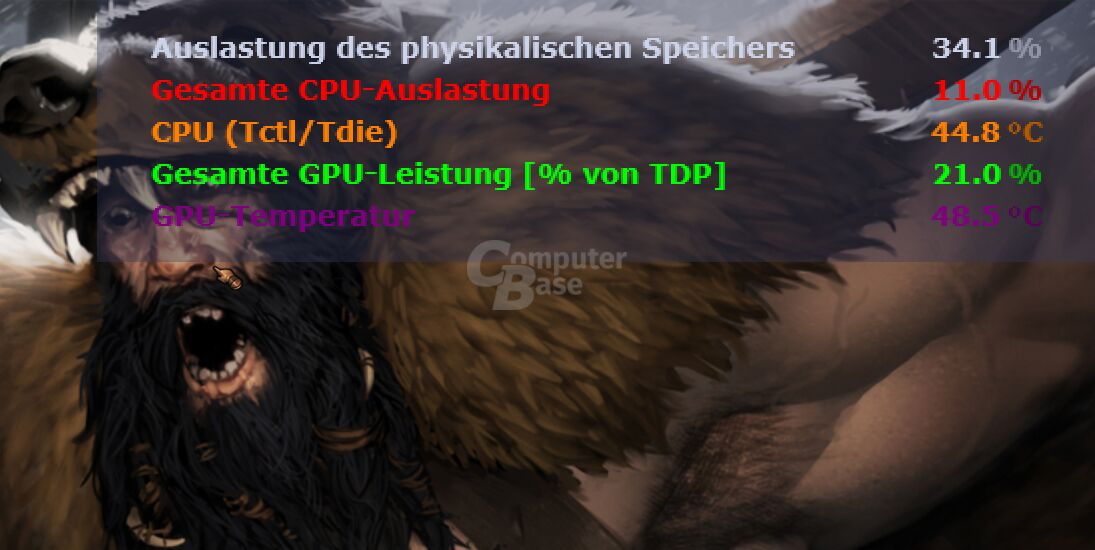
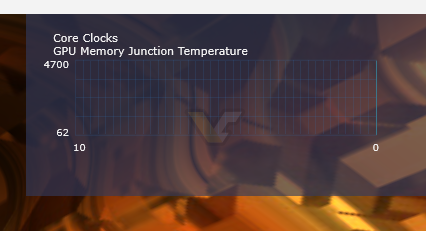
When HWiNFO OSD is working and not, Source: ComputerBase/VideoCardz
The OSD feature no doubt requires serious polishing before a public release. Installation poses only one portion of the challenges. The OSD might disappear and fail to connect to the screen upon the tool’s restart. At times, it might display an empty window without any stats or not show any updates (like above). However, the automatic hookup to the most GPU-intensive task seems to be working fine, and users can still lock the tool to specific applications of their choice.

HWiNFO OSD settings, Source: VideoCardz
The OSD allows users to select each value for real-time representation as text values, average, maximum, and minimum. Alternatively, data can be converted into graphs. The free version allows adding five values, while the HWiNFO pro version has no limitations.
Once deployed, the in-built OSD feature could be a great alternative that eliminates the need for any extra software. However, some users might still prefer the RTSS implementation, particularly if they perform tests through other tools like CapFrameX. In such cases, users have the option to link MSI Afterburner, HWiNFO, and CapFrameX to the same OSD.
HWiNFO v7.73-5370 Beta changes:
- Added fully integrated OSD.
- Windows XP support dropped in HWiNFO64.
- Enhanced sensor monitoring on ASUS NUC series.
- Improved health monitoring of some NVMe drives connected via Intel RST.
- Enhanced sensor monitoring on ASUS TUF GAMING Z790-PRO WIFI.
Definitely good to see a native OSD implementation, but at its current state it does not work very well. It may disappear when toggling from windowed to full-screen mode, or even unhook from the main app and continue to be displayed even when the main app is no longer running. Still, we are hopeful to see this used at a broader scale at some point. The HWiNFO is one of the best free tools for PC users, and the developers for sure are improving it every day.
Source: HWiNFO , ComputerBase