Core i9-14900K performance impacted by Baseline Profile
Reevaluation of Intel Core i9-14900K performance, now in accordance with Intel specs.

ASUS has been compelled to release a new firmware update that introduces the “ Intel Baseline Profile ” for Intel Core CPUs. These settings aim to address the issues reported by a growing number of users experiencing stability issues. Allegedly, these problems come from motherboard makers not strictly adhering to Intel specifications and enabling higher performance by default.
By introducing the new profile, users can swiftly adjust the settings to align with Intel’s recommendations, potentially resolving the stability concerns once and for all. However, as the power limits are now capped, this would undoubtedly have an impact on performance. This was investigated by the German publication HardwareLuxx , who tested the Core i9-14900K processor with the specified profile.
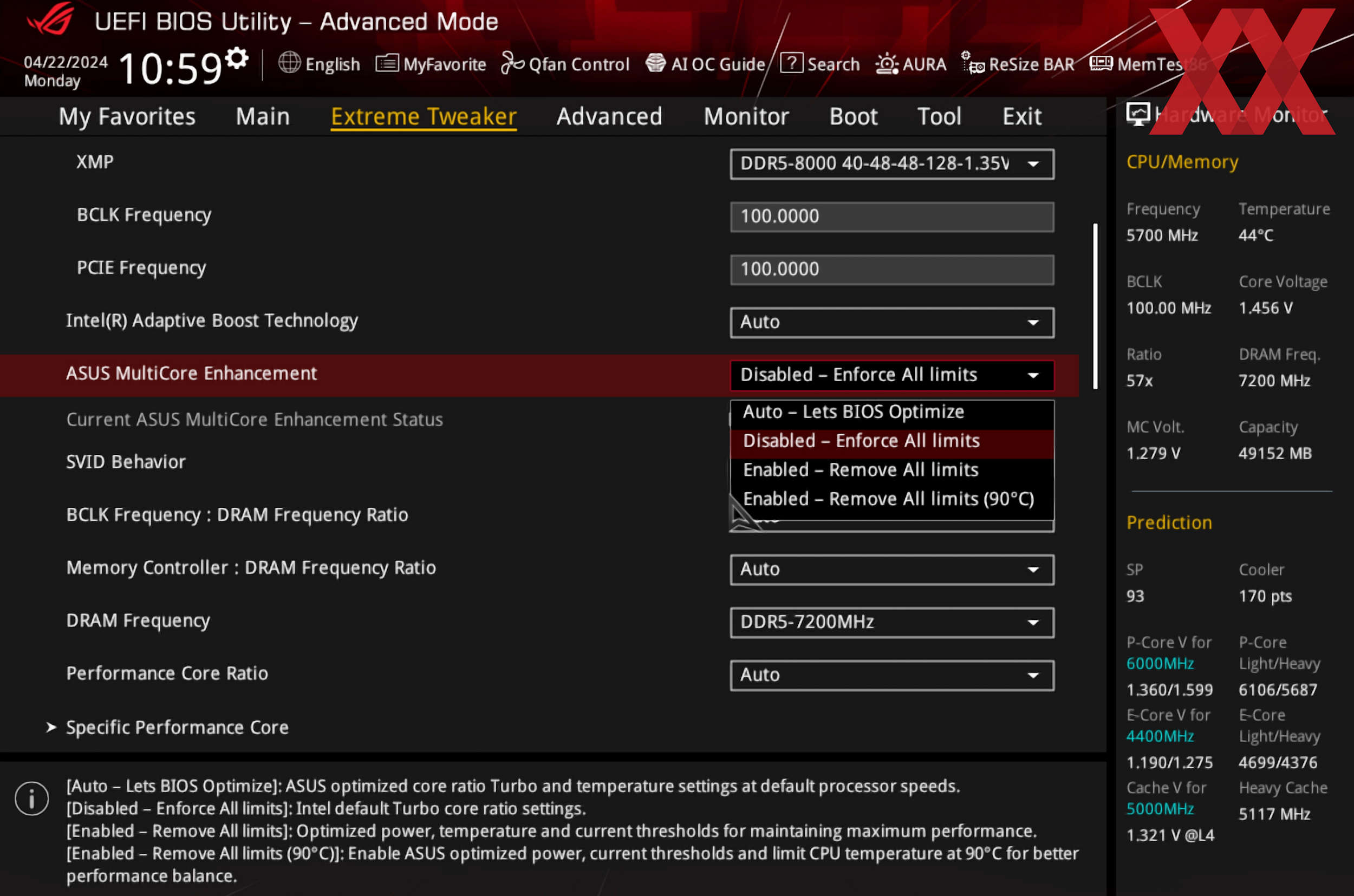
Intel Baseline Profile disables ASUS MultiCore Enhancement, Source: HardwareLuxx
The profile establishes the absolute baseline for Core CPUs, disabling features such as ASUS MultiCore Enhancement and enabling Intel Fail-Safe settings for SVID (Serial Voltage Identification). The primary difference is that PL2 (Power Limit 2 or Maximum Turbo Power) specifications are no longer “unlimited” at 4095 watts but adhere to Intel’s recommendation of 253W. However, for the purposes of this test, HardwareLuxx maintained PL1 at 253W.
It’s worth noting that reviewers should have adhered to Intel specifications when testing the new CPUs, and HardwareLuxx did exactly that during their initial CPU test. However, the purpose of this test is to illustrate how the Baseline profile specifically affects performance. In other words, the performance drop will only be noticeable to those who utilized ASUS enhancements.
| Intel Core i9-14900K Baseline Profile tests | |||
|---|---|---|---|
| HardwareLuxx | ASUS MultiCore Enhancements PL1: 253W, PL2: 4095W | Intel Baseline Profile PL1: 253W, PL2: 253W | Difference |
| Cinebnech R23 Single Thread | 2341 pts | 2322 pts | -1% |
| Cinebnech R23 Multi Thread | 40848 pts | 37197 pts | -9% |
| Blender (Classroom, lower is better) | 137.70 s | 149.96 s | -8% |
| Y-Cruncher Multi Core (500M, lower is better) | 8.645 s | 9.739 s | -11% |
| Control (720p, High) AVG | 228.3 FPS | 228.0 FPS | 0% |
| F1 2023 (720p, Ultra) AVG | 265.2 FPS | 243.3 FPS | -8% |
| Shadow of Tomb Raider (720p, Ultra) AVG | 357.4 FPS | 328.5 FPS | -8% |
| Starfield (720p, High) AVG | 164.1 FPS | 151.3 FPS | -8% |
| Power Consumption | 316 W | 253 W | -20% |
| VCore Voltage | 1.236 V | 1.229 V | -1% |
| VRM V-Core Current | 214 A | 195 A | -9% |
| CPU Temperature | 101 °C | 89 °C | -12% |
Overall, the Intel Core i9-14900K loses about 8 to 9% of its performance when Intel default settings are applied. While not all games and workloads will exhibit identical results, software optimized for multicore usage will likely experience a decrease in performance.
In both games and multi-threaded applications, the performance of the Core i9-14900K is between 8 and 9% lower with the Intel fail-safe limits. In some games (like ours in Control) you won’t notice any difference at all. But three out of four tests show a slightly reduced performance in the CPU limit. As soon as you move within the GPU limit, there will no longer be any noticeable difference.
— HardwareLuxx
ASUS BIOS settings default to ‘Auto,’ which will automatically allow BIOS to optimize the settings. This implies that the CPU has unlocked 4095W power for up to 96 seconds (Tau). As per HardwareLuxx, their gaming tests start 3 minutes after the game starts. Hence, PL2 limits are unlikely to be the primary reason for lower performance, more so than other settings.
HardwareLuxx has reached out to ASUS for details what exactly does the Baseline Profile change and if other motherboard makers are to follow suit by introducing similar profiles.
Source: HardwareLuxx