TechSpot means tech analysis and advice you can trust .
Facepalm: A recent mandatory security update for Windows 11 23H2, known as KB5046633, has triggered an unexpected notification for many users. The update left users scratching their heads after an end-of-support message started showing up.
Users who installed the update reported a peculiar notification from the Windows Update service. The message erroneously warns that Windows 11 23H2 is approaching its end of support and prompts users to download a newer version of Windows to stay current.
This message understandably caused confusion, as Windows 11 23H2 is officially supported until November 11, 2025, with a full year of security and feature updates still expected.
In response to this, a Microsoft support representative confirmed to Windows Latest that the message is indeed a bug. "This is just a reporting bug on our side," the representative explained. Microsoft stated it is actively investigating the issue and plans to resolve it through a server-side update, likely to be deployed within a week.
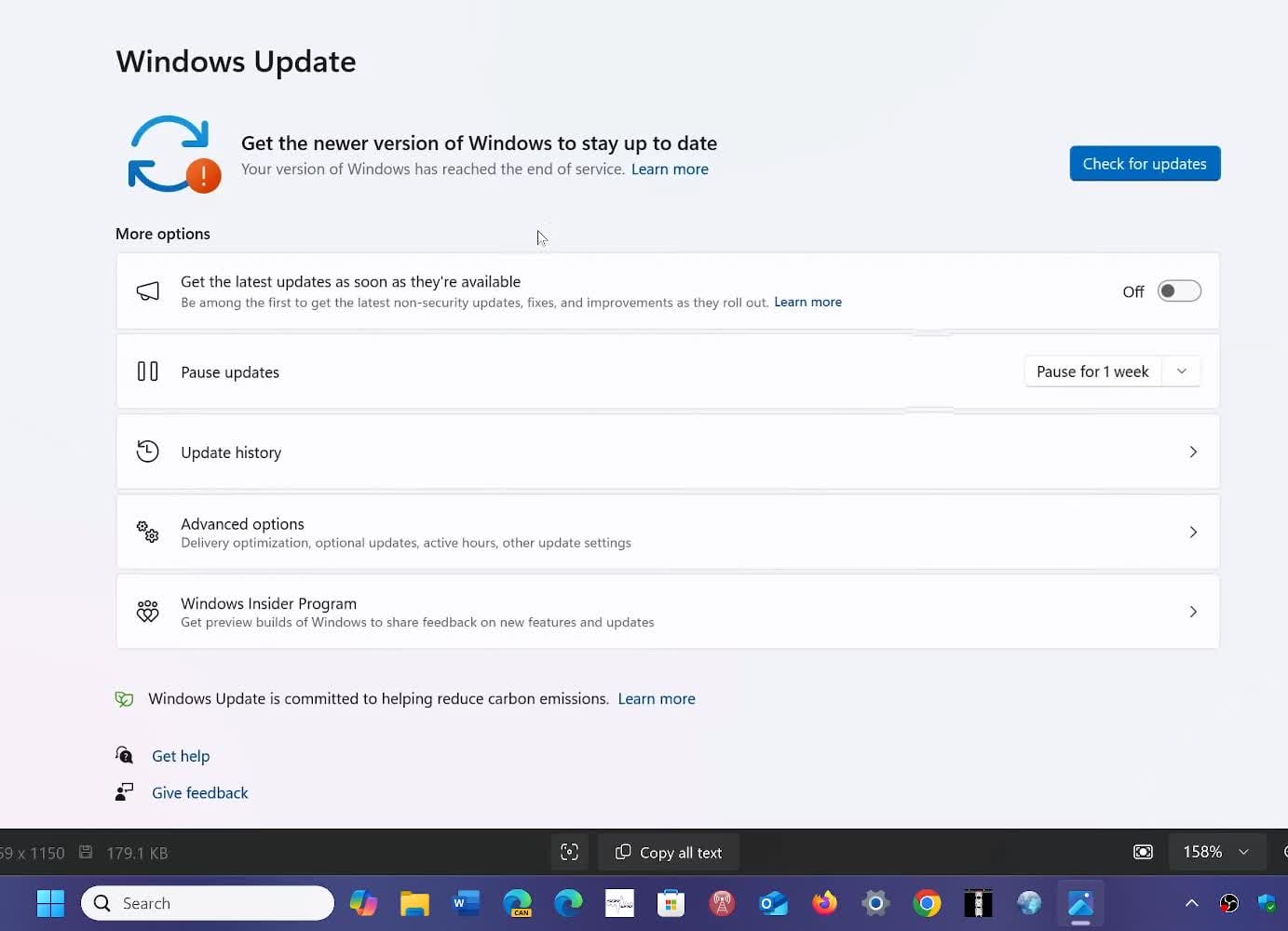
Further adding to the confusion, the erroneous message includes an option for users to check for updates – even though the KB5046633 update is already the most recent version available.
For those encountering this misleading alert, experts recommend a simple workaround: logging out and restarting the system. This action might clear the incorrect notification. Alternatively, users can wait for Microsoft's server-side fix, which should address the issue automatically.
// Related Stories
It's worth noting that a legitimate end-of-support message was issued earlier this year, targeting users of Windows 11 22H2 . Those still running this older version are strongly encouraged to upgrade, as they will no longer receive security or feature updates.
Microsoft has a notoriously poor track record with Windows updates . In this particular instance, no significant harm has been done, but it seems that every other month we hear about problematic updates introducing new bugs or crashes for users. As a result, it's generally advisable to take a more conservative approach to OS updates rather than immediately installing the latest ones.
Just last week, there was a notable snafu affecting Windows Server users. A routine security update unexpectedly triggered a full operating system upgrade. What was supposed to be a standard patch ended up installing Windows Server 2025 on countless machines still running the 2022 edition.