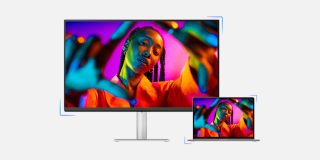
For me, one of the biggest issues with making the switch from a MacBook to a was the display aspect of it. MacBooks all have fairly great displays, especially on the MacBook Pro. However, finding a good display that pairs nicely with a Mac desktop always feels like a little bit of a challenge.
You either have to go with Apple’s expensive options, or compromise significantly on the experience with a third party. Some common compromises include poor brightness, a lack of USB-C, or a lack of macOS integration. While the certainly isn’t a replacement, it performs excellently in all of the qualities that matter to me.
First things first, this display comes in at $459. That’s cheaper than the , even if you’re buying one from the education store. At that price point, it packs an aluminum stand, 400 nits of brightness, USB-C connectivity, and a built in USB hub. It’s a 4K 27″ display, and also offers 2 HDMI ports for plugging in a game console or anything else you might want on your desk.
The built in USB hub is a great perk. The monitor offers two USB-A ports and an additional USB-C port, allowing you to connect up to 3 USB connections to your Mac through one cable. It also provides 90W of power via USB-C, which’ll recharge your MacBook quickly – if you’re using one. The USB-A ports come in clutch as well, since the doesn’t include them.
Some will point out that 400 nits of brightness is a little sub-par, which is certainly true compared to Apple’s displays. However, this isn’t a super big deal for indoor usage. Many monitors in this class only have 250-350 nits, so I’m more than happy to have 400 at this price tag.
The aluminum stand is also a nice touch, making the feel a decent bit premium.
Lastly, there’s Display Pilot 2. This companion app allows you to control the brightness and volume of the display from within macOS. This is a rare feature on non-Apple displays, and normally you have to regularly fidget with physical buttons on the display. You won’t have to do that on the , and I’m happy to say that. You also don’t need to use the companion app necessarily, keyboard controls also work for brightness and volume control.
- 27-inch 4K panel (3840×2160) with up to 400 nits of brightness, 60Hz
- 95% DCI-P3 and 99% sRGB color gamut
- VESA DisplayHDR 400 support
- Dual 3W treVolo speakers
- Nano Matte Panel
- TUV certification
- Adjustable stand with 115mm of height adjust, 15 degrees of tilt/swivel, and 90 degrees of pivot
Overall, the a great balance of everything important to me: decent brightness, USB-C connectivity, and a decent price point. At $459, it’s hard to go wrong with this display. There’s also a available for $599.
If you’re a fellow user searching for a nice external display to pair with it, I’d highly recommend this monitor. The aforementioned companion app also has a feature to match its color profile with Apple’s, allowing for a close-to-stock appearance.
Buy BenQ MA270U (27-inch):
Buy BenQ MA320U (32-inch):
Follow Michael: , ,
FTC: We use income earning auto affiliate links. More.