
Apple is rolling out macOS Tahoe 26 developer beta 8, which could be the last release before we see a RC version ahead of the official release next month. Here’s what to expect.
As with the past few releases, macOS Tahoe 26 developer beta 7 brought mostly under-the-hood improvements last week, building on top of the previous versions which, among other things, introduced a new Macintosh HD icon , new screensavers , and improvements to tab visibility in apps like Safari and Terminal.
The build number for today’s macOS Tahoe 26 beta 8 release is 25A5349a. We’re taking a closer look to spot any user-facing tweaks, and will report back with anything noteworthy.
As announced at WWDC25, macOS Tahoe 26 introduces the Liquid Glass UI overhaul, alongside features like Live Activities on the Mac, a much improved Spotlight with clipboard history and Shortcuts integration, plus a dedicated Phone app and Live Translation for Messages, FaceTime and phone calls.
The system is also getting the new Games app, as well as the long-awaited Journal app.
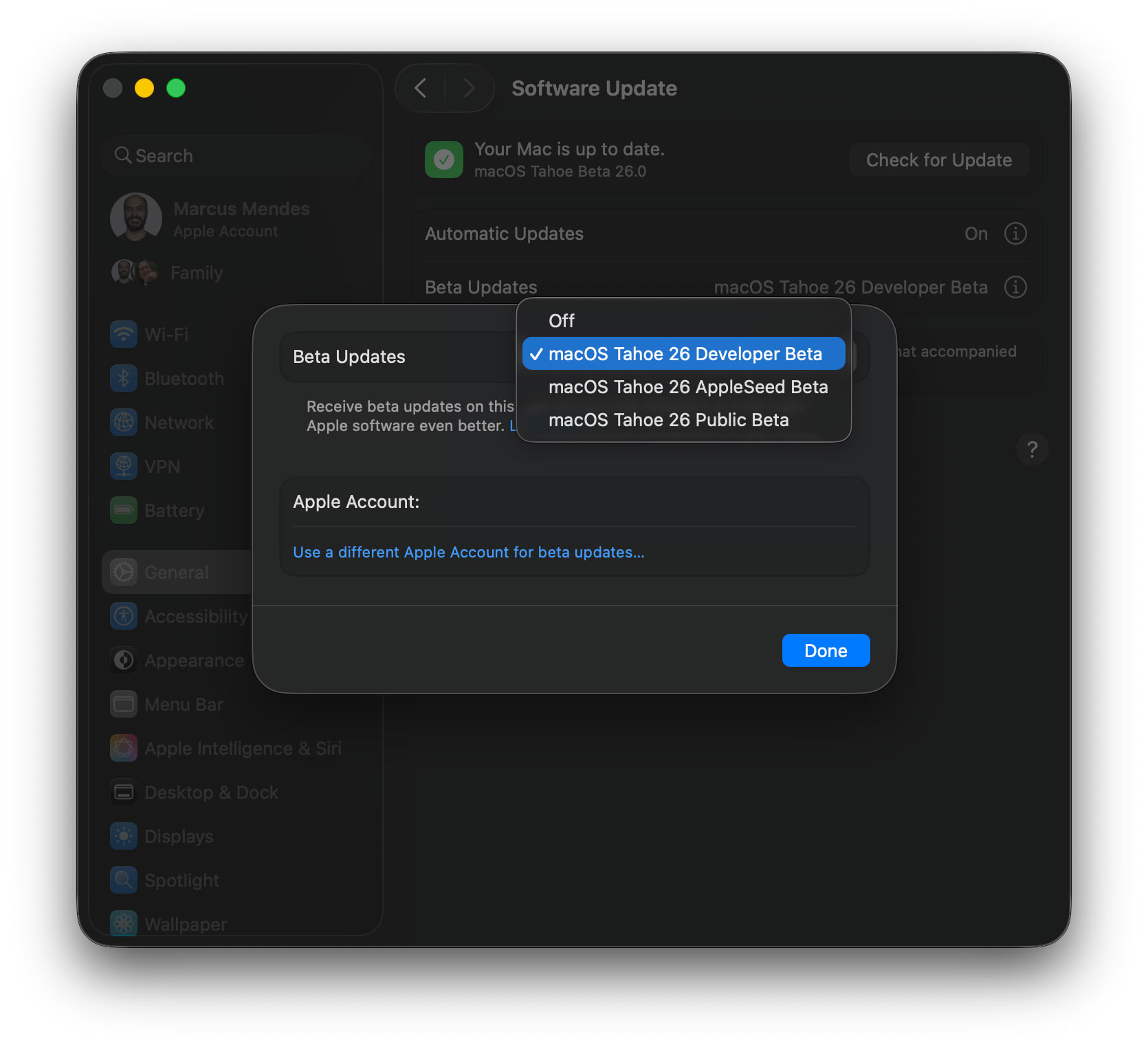
Here’s how to install the macOS Tahoe 26 developer beta 7:
- Backup your Mac
- Open System Settings
- Go to General ⇾ Software Update
- Click the ‘i’ icon next to Beta Updates
- From the dropdown menu in the top-right, select the macOS Developer Tahoe Beta
- Hit ‘Done’
- : $499 (17% off)
- : $1,649 (13% off)
- : $999 (was $1,199)
- : $1,299 (19% off)
FTC: We use income earning auto affiliate links. More.