
iOS 26 arrived last month with a variety of new features for AirPods , including a new setting that you may want to turn on if you ever fall asleep wearing your AirPods.
Have you ever fallen asleep while listening to an audiobook or podcast, then woke up uncertain about where to resume playback?
If so, then iOS 26 has a new AirPods setting you’ll want to take advantage of.
Among the diverse lineup of new AirPods features in iOS 26, one is especially easy to miss.
It’s a new Settings toggle: ‘Pause Media When Falling Asleep.’
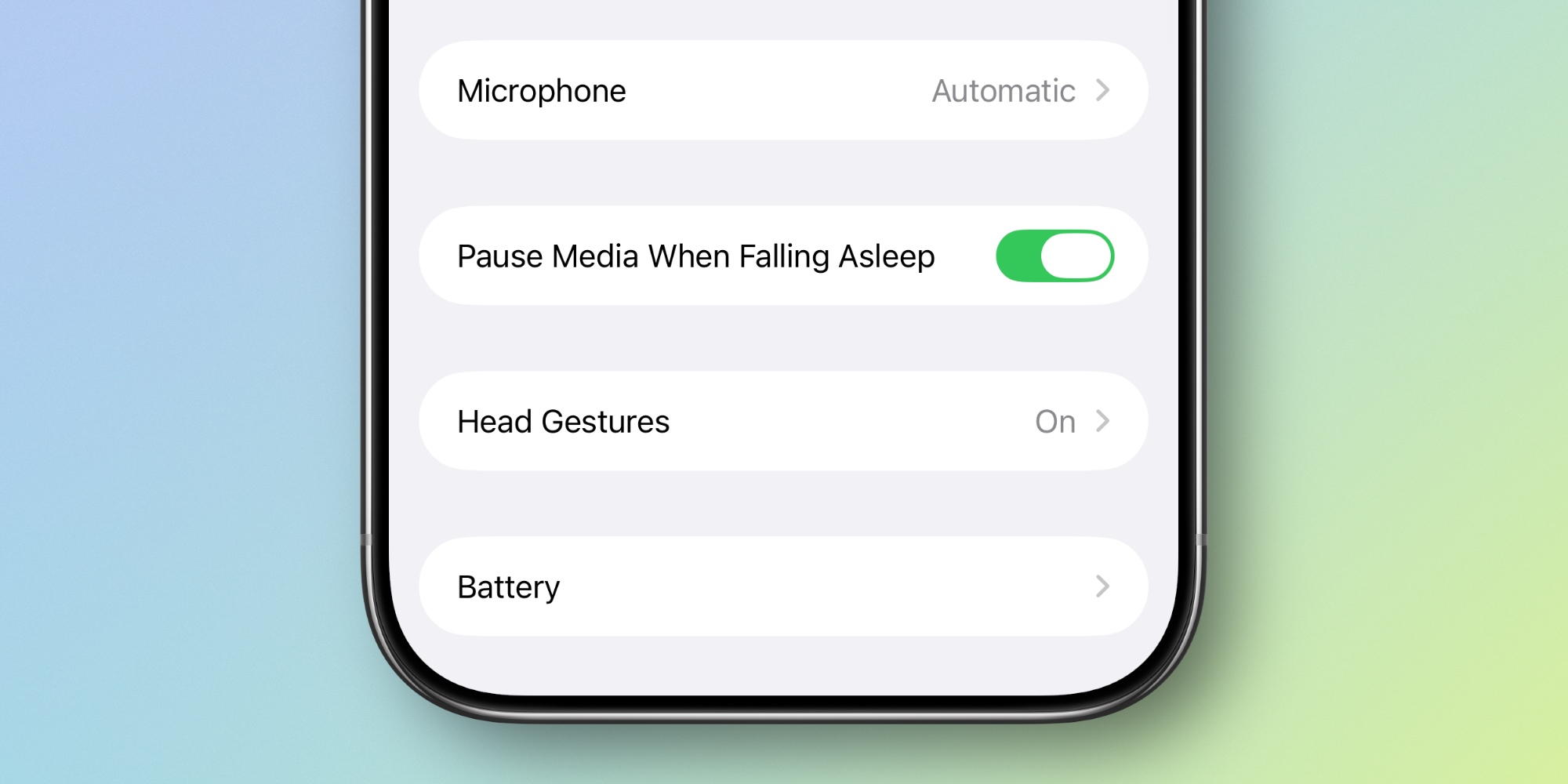
Off by default, there’s no other description given for the setting. Apple expounds minimally :
”helps pause media on inactivity for users who utilize AirPods to wind down for sleep”
Apple doesn’t say exactly how the feature works. In fact, it never even alongside iOS 26’s other improvements.
But presumably, it uses AirPods’ built-in sensors to detect motion, and pauses media when your movements indicate you’ve fallen asleep. Perhaps with AirPods Pro 3’s heart rate monitoring , the feature is even more accurate—but again, Apple hasn’t specified how the feature works.
Sleep detection is available with , , and . So AirPods Max users and anyone with older AirPods models won’t see the new setting.
I’ve definitely fallen asleep before and lost my place in audiobooks and podcasts, so I’m excited to see if AirPods’ sleep detection works well enough to make that problem a thing of the past.
Have you turned on sleep detection for your AirPods? How has it been working? Let us know in the comments.
FTC: We use income earning auto affiliate links. More.