
macOS Tahoe 26.2 Release Candidate is now available for developers, as well as for the public beta, ahead of the official upcoming release. Here’s what to expect.
Apple appears to have taken macOS Tahoe 26.2 to mostly iron out bugs and performance issues, but the system will also bring one major feature, the new Edge Light effect , which adds a virtual ring light to the Mac’s display.

Under the hood, Apple is also working on introducing a low-latency feature that will let users create Thunderbolt 5-powered Mac clusters, in addition to adding the same “Urgent” option to the reminders app that is coming to iOS 26.2. You can read more about these upcoming features here .
We are already digging through today’s new betas and will report back if we find anything else noteworthy. The release build rolling out to developers right now is 25C56.
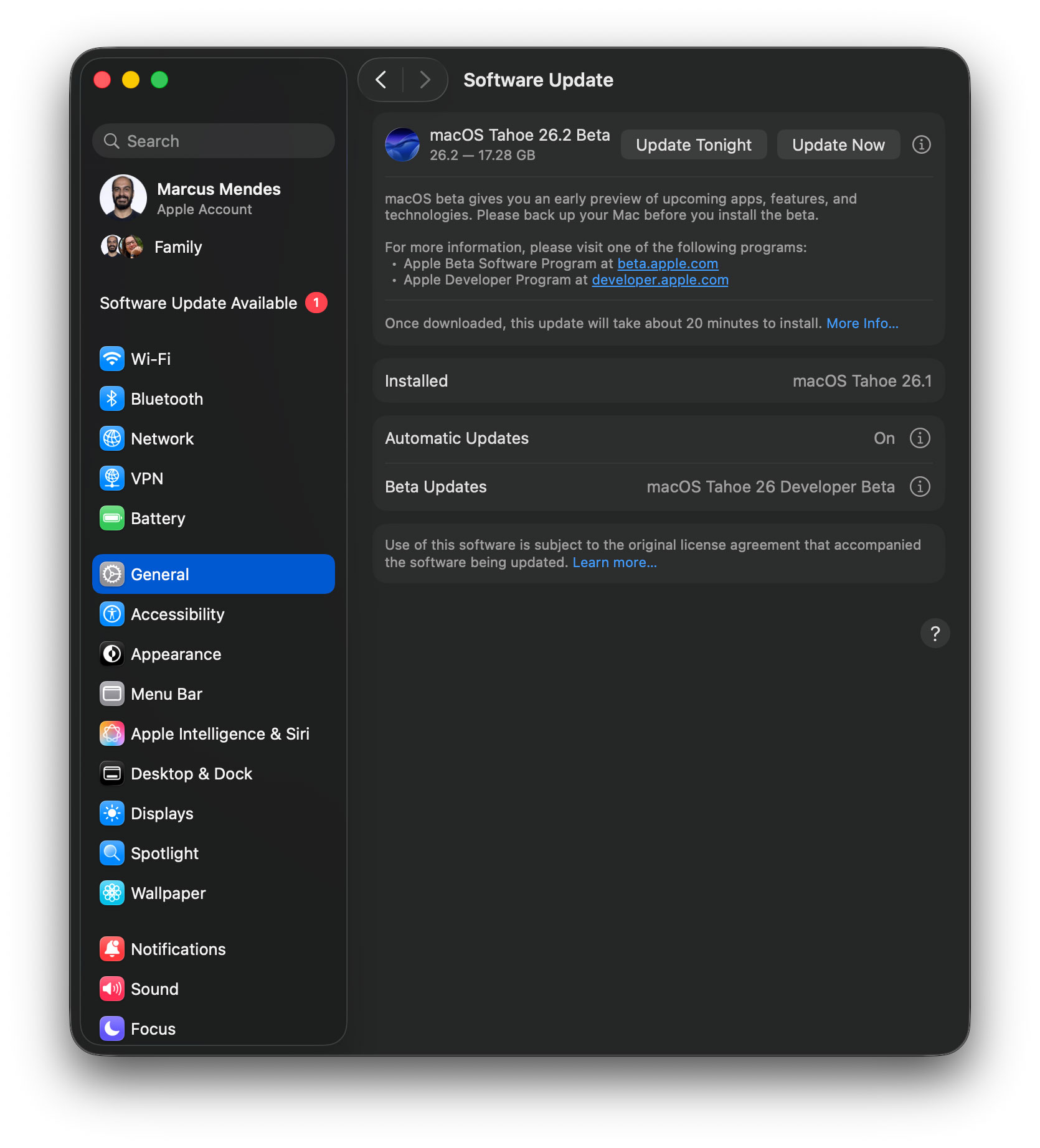
Here’s how to install the macOS Tahoe 26.2 beta RC
- Backup your Mac
- Open System Settings
- Go to General ⇾ Software Update
- Click the ‘i’ icon next to Beta Updates
- From the dropdown menu in the top-right, select the macOS Developer Tahoe Beta
- Hit ‘Done’
To install, the first thing you have to do is enroll in Apple’s public beta program at . Once you’re done, here’s the step-by-step:
- Open System Settings
- Go to General ⇾ Software Update
- Click the ‘i’ icon next to Beta Updates
- From the dropdown menu in the top-right, select the macOS Tahoe 26 Public Beta
- Hit ‘Done’
Did you spot any changes in today’s beta? Let us know in the comments.
FTC: We use income earning auto affiliate links. More.