
Google is working on an on-device data migration feature on iOS that will let Safari users import their browsing data directly into Chrome. Here are the details.
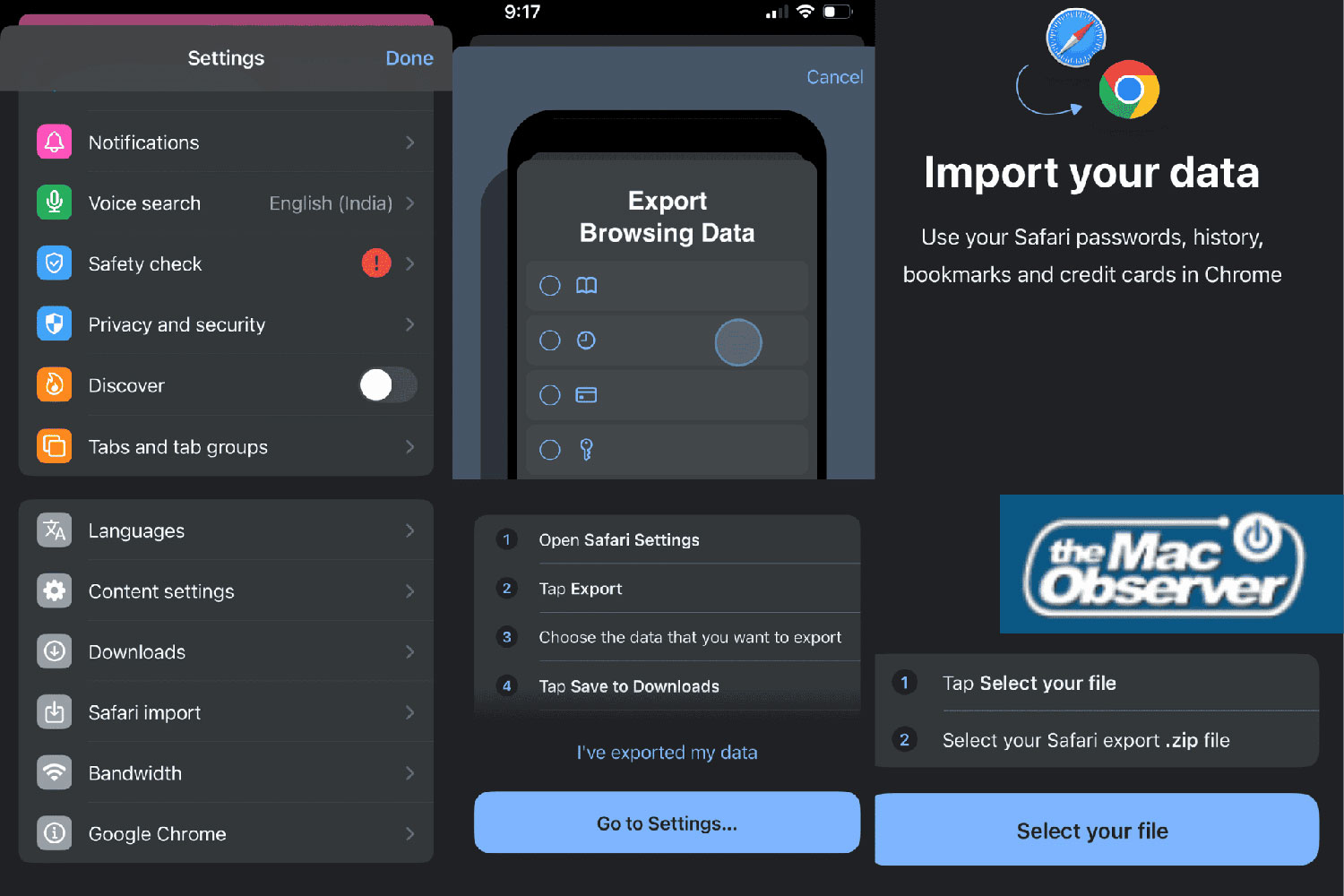
As , Google is working on a guided “Safari import” tool that will make it easier for users to switch from Safari , a process currently limited to the desktop.
The tool will reportedly rely on the ZIP file generated in the ‘Export Browsing Data’ section under
iPhone Settings > Apps > Safari
, and will offer a step-by-step import flow that lets users choose which data types they want to bring over during the migration.
Options will include passwords, credit cards, browsing history, and bookmarks, along with a disclaimer that “Your data will be saved to your Google Account.”
Here is the import flow, as :
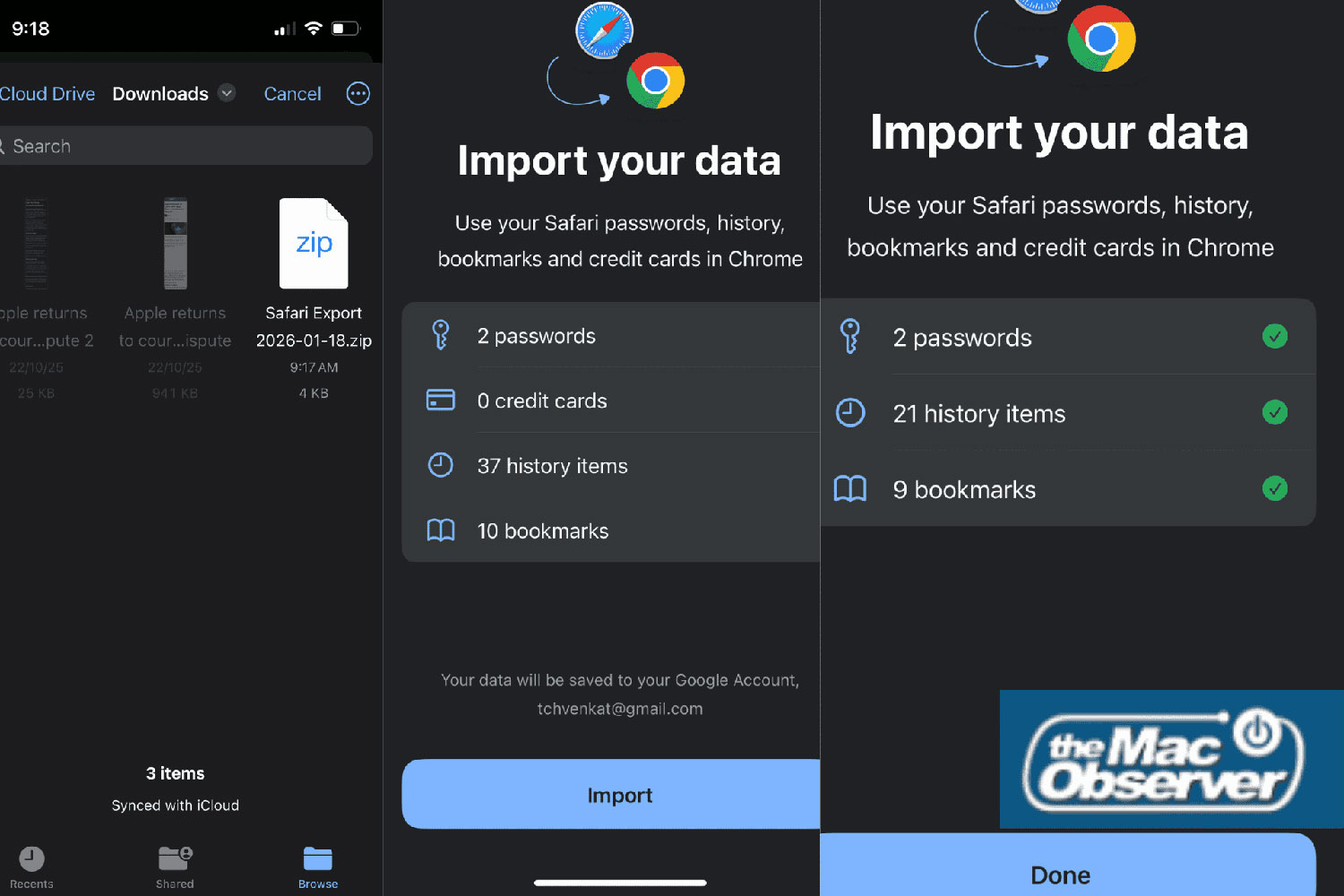
According to the report, “When the import is done, Chrome warns you that the file you created contains private info. It gives you a quick option to delete that file right away,” helping keep sensitive and personal information safer.
The feature is currently being tested in Chrome 145 for . Although the beta is currently full, Chrome 144 is the current stable release, so it likely won’t be long before the feature reaches the public version.
FTC: We use income earning auto affiliate links. More.