
Since early 2020, I’ve used as my primary security system and have done so across two seapraye homes. It is now 2026, and in the world of smart home tech, six years is usually an eternity. I continue to get emails asking if I am still using it, or if I’ve jumped ship to some thing. I wanted to take an opportunity to update my review for 2026, discuss how the hardware has held up, and frankly, warn you about which hub you should buy for HomeKit.
HomeKit Weekly is a series focused on smart home accessories, automation tips and tricks, and everything to do with Apple’s smart home framework.
Before we get into why I still love this abode for my house, I have to issue a warning Abode now sells a few different starter kits, and they are not created equal in terms of smart home compatibility. There is a that often goes on sale for under $100. Do not buy this if you use HomeKit/Apple Home
To get native Apple Home integration, you must stick with the or the . These are the only two that act as HomeKit bridges. If you buy the low-cost hub, you will be stuck in their app, isolated from the rest of your Apple Home environment. With that disclaimer out of the way, let’s talk about why the right hub is still the best foundation for a HomeKit security setup.
HomeKit support remains strong
Abode has done a nice job maintaining its HomeKit integration over the years. In fact, it’s still the primary reason I recommend it over other products, such as Ring or SimpliSafe. It’s not only about using HomeKit to change the alarm status to “Away” or “Night.” The primary reason I love it is that it exposes the door sensors, window sensors, and motion sensors to Apple Home.
You might not be the type to buy a for automation purposes, but if they’re already in HomeKit/Apple Home because of your security system, well, that’s another story. This is the “double duty” philosophy that I think every smart home should follow.
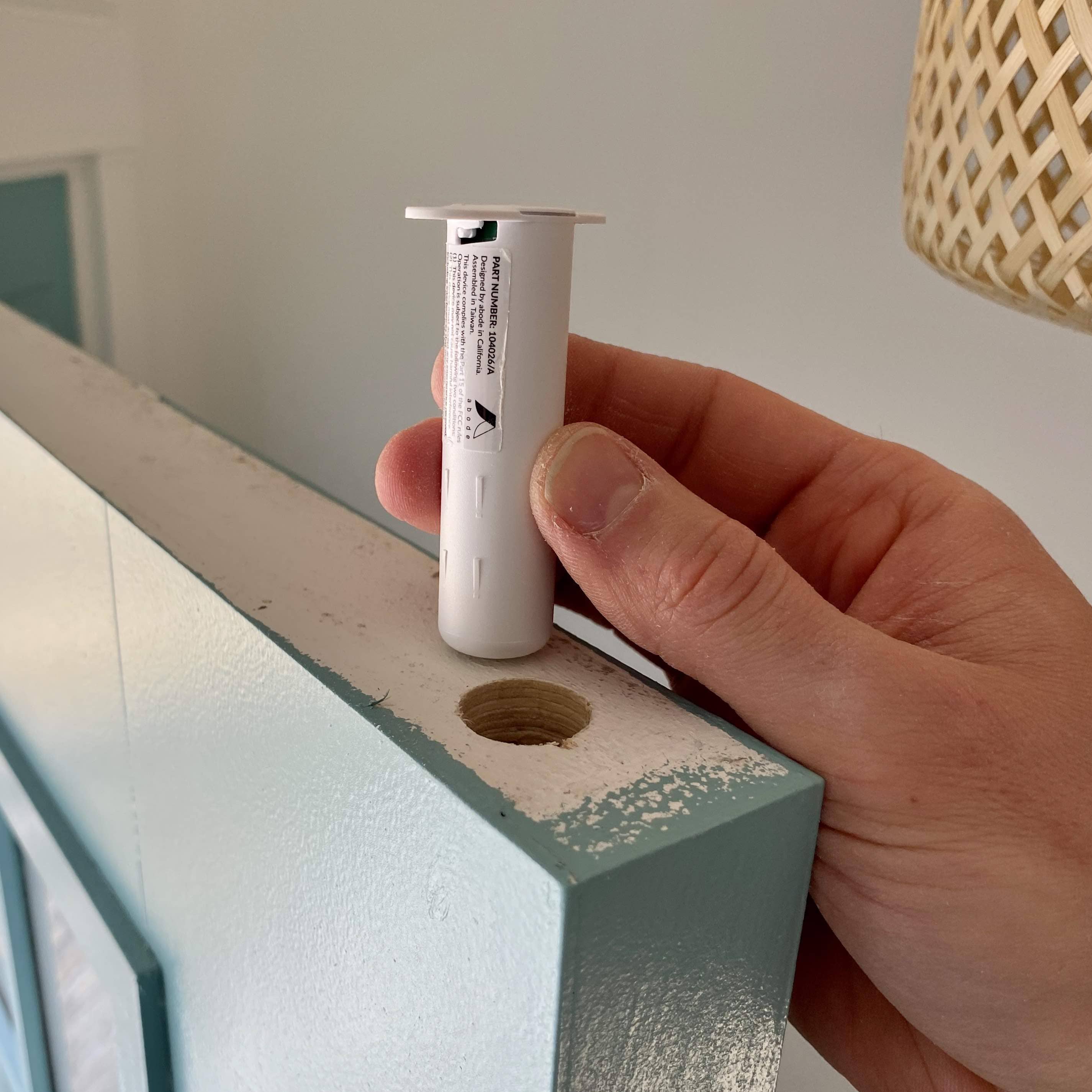
HomeKit door sensors, in my opinion, are one of the most underrated sensor categories for unlocking some fun and beneficial automations. However, the “wife acceptance factor” on big, blocky white plastic sensors stuck to a nice wooden door is usually pretty low. This is where I really love as well as its .

Once installed, the recessed sensor is completely hidden inside the door frame (it requires a drill, but it’s worth it). You then have a HomeKit door sensor in your environment that is invisible. You can create automations like “turn on my lights” when the door is open after 5:00 PM—which would indicate that you’re home from work. You can also create a sensor that would turn on an that is supported by HomeKit when your door is open after sunset.
Six years in, I still subscribe to . It gives me access to the cellular backup (LTE), so if my internet goes down during a storm, my house is still protected. I just renewed this for another year as well. The math still works out for me: the discount I get on my homeowner’s insurance for having a monitored fire and burglar alarm covers a significant part of the annual fee. Plus, abode’s USA-based center will provide 24/7 professional monitoring for break-ins, fires, and medical emergencies. I sleep better knowing that if the hears an alarm while we are on vacation, the fire department is getting a call, not just my phone or an app alert.
Abode’s security system with HomeKit integration remains my preferred option for home security in 2026. While the industry is slowly moving toward Matter, abode’s native HomeKit support on the iota and Smart Security Hub is rock solid and fast. The system’s ability to expose and to Apple Home makes it the brain of my automation setup, not just a security guard.
You can buy an abode starter kit from or . Just remember: buy the or the if you want it to work with Apple Home/HomeKit
FTC: We use income earning auto affiliate links. More.