Getting the best performance out of Amazon EFS
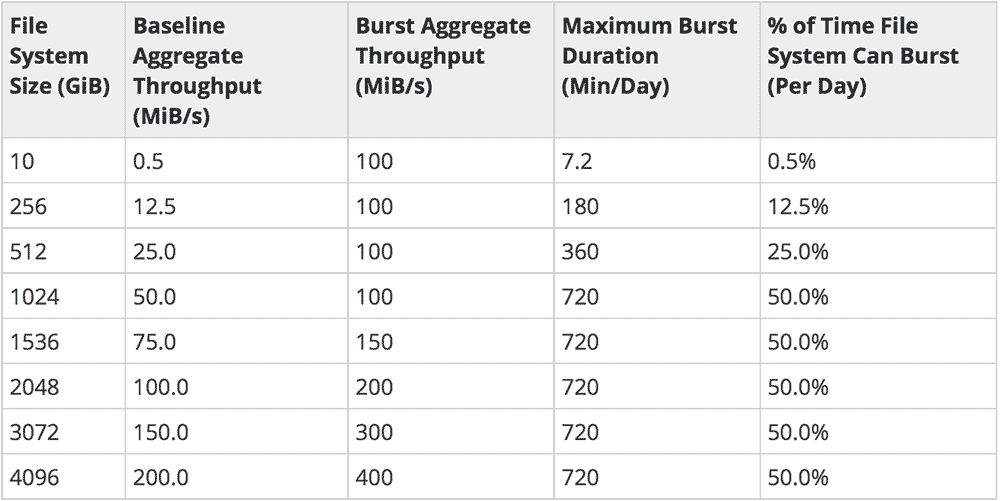
tl;dr : EFS is NFS. Networked file systems have inherent tradeoffs over local filesystem accessâEFS doesn't change that. Don't expect the moon, benchmark and monitor it, and you'll do fine.
On a recent project, I needed to have a shared network file system that was available to all servers, and able to scale horizontally to anywhere between 1 and 100 servers. It needed low-latency file access, and also needed to be able to handle small
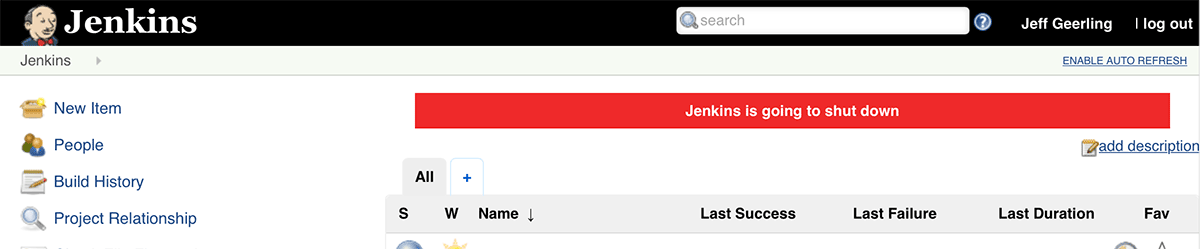
Properly deploying updates to or shutting down Jenkins
One of my most popular Ansible roles is the geerlingguy.jenkins role, and for good reasonâJenkins is pretty much the premiere open source CI tool, and has been used for many years by Ops and Dev teams all over the place.
As Jenkins (or other CI tools) are adopted more fully for automating all aspects of infrastructure work, you begin to realize how important the Jenkins server(s) become to your daily operations. And then you realize you need CI for your CI. And you
Getting Munin-node to monitor Nginx and Apache, the easy way
Since this is something I think I've bumped into at least eight times in the past decade, I thought I'd document, comprehensively, how I get Munin to monitor Apache and/or Nginx using the apache_* and nginx_* Munin plugins that come with Munin itself.
Besides the obvious action of symlinking the plugins into Munin's plugins folder, you shouldâto avoid any surprisesâforcibly configure the env.url for all Apache and Nginx servers. As an example
Ansible for DevOps - 50% off on LeanPub for Black Friday 2017
Though I've had a little less time to work on the book lately, I'm still very much invested in keeping Ansible for DevOps the best and most up-to-date guide to using Ansible for infrastructure automation. It's been over two years since the first '100% complete' edition was released, and in that time I have published over 200 updates on LeanPubâand even have full test coverage for all the book's examples, which are open

Stripping the 'Vary: Host' header from an Apache response using Varnish
A colleague of mine found out that many static resource requests which should've been cached upstream by a CDN were not being cached, and the reason was an extra Vary http header being sent with the responseâin this case Host .
It was hard to reproduce the issue, but in the end we found out it was related to Apache bug #58231 . Basically, since we used some RewriteCond s that evaluated the HTTP_HOST value before a RewriteRule , we ran into a bug
Generating self-signed OpenSSL certs with Ansible 2.4's crypto modules
Ansible 2.4 is notable for a number of improvements and changes, but one that flew under my radar was the addition of a set of new openssl_* crypto-related modules.
The following modules were added in Ansible 2.4.0:
-
openssl_certificate- Generate and/or check OpenSSL certificates -
openssl_csr- Generate OpenSSL Certificate Signing Request (CSR) -
openssl_privatekey- Generate OpenSSL private keys -
openssl_publickey- Generate an OpenSSL public key from its private key
In the past, when I
Photos of St. Michael the Archangel Catholic Parish
I was recently invited to take some pictures of the campus and interior of St. Michael the Archangel Catholic Church in Shrewsbury, MO (nestled in a neighborhood just outside of the City of St. Louis), and I just finished processing and uploading them to Flickr; see my St. Michael the Archangel photos .

There are so many of these little Catholic churches in St. Louis and around the country, with so much hidden beauty. I always try to find a neat little parish near where I stay in any
Stopping Docker containers via fuzzy matching on the name
I recently needed to hack together a setup where Docker containers are spawned by an automated process, then later, a garbage collector runs and kills off all spawned containers. This is on a system where there could be anywhere from tens to hundreds of containers running at any given moment, and I needed traceability of different containers while they're running.
One of the easiest ways to have at-a-glance traceability is to have named containers, e.g. spawned-worker-1 , spawned-worker-
Ansible jenkins_plugin module and 404 'Plugin not found.'
Every few weeks, when some of my automated Jenkins build jobs are running (using Ansible and my Jenkins role on Ansible Galaxy), they hit an error while configuring Jenkins plugins. The error is something like:
TASK [geerlingguy.jenkins : Install Jenkins plugins using password.] ***********ok: [server] => (item=git)ok: [server] => (item=ansicolor)changed: [server] => (item=blueocean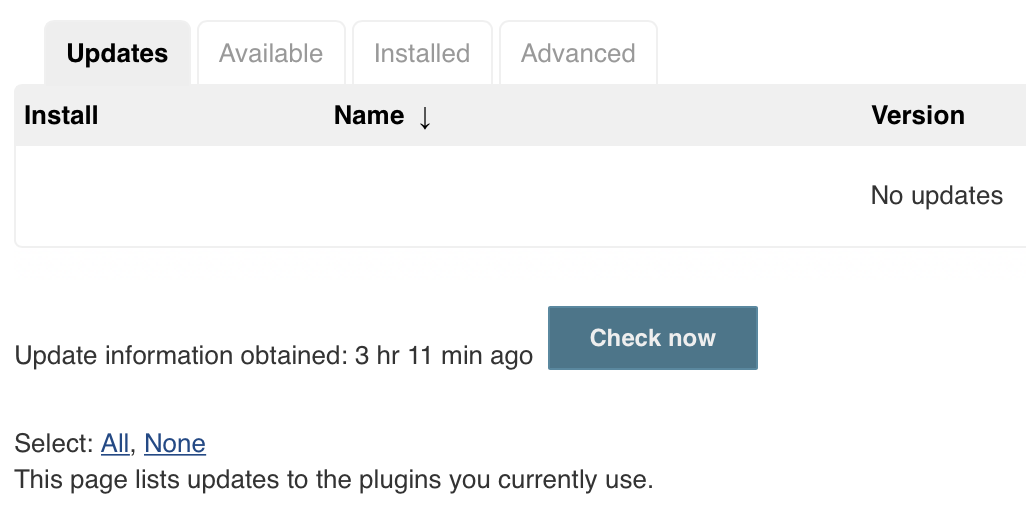
CI for Ansible playbooks which require Ansible Vault protected variables
I use Ansible Vault to securely store the project's secrets (e.g. API keys, default passwords, private keys, etc.) in the git repository for many of my infrastructure projects. I also like to make sure I cover everything possible in automated tests/CI, using either Jenkins or Travis CI (usually).
But this presents a conundrum: if some of your variables are encrypted with an Ansible Vault secret/passphrase, and that secret should be itself store securely... how can