Visual Studio Code July 2021
Downloads: Windows: User System ARM | Mac: Universal 64 bit Arm64 | Linux: snap deb rpm tarball ARM
Welcome to the July 2021 release of Visual Studio Code. There are many updates in this version that we hope you will like, some of the key highlights include:
- Extensions view improvements - Rich extension detail hovers, new runtime status tab.
- Settings editor validation - Quickly find editing errors for object-based settings.
- Drag and drop terminals - Move terminals across windows to both editor

The Coming of Age of Notebooks
August 05, 2021 by Chris Dias, @chrisdias
A (not so) new way of doing development
Notebooks—documents that contain text, executable code, as well as the output of that code—are an interesting and exciting new way to do development.

Ok, it's not totally new. Donald Knuth introduced the concept of Literate Programming in 1984 and Wolfram Mathematica introduced the Notebook UI powered by Kernels in 1988.
Over the past decade, we've
Visual Studio Code June 2021
Downloads: Windows: User System ARM | Mac: Universal 64 bit Arm64 | Linux: snap deb rpm tarball ARM
Welcome to the June 2021 release of Visual Studio Code. There are a number of updates in this version that we hope you will like, some of the key highlights include:
- Terminals in the editor - Create or move terminals into the editor area.
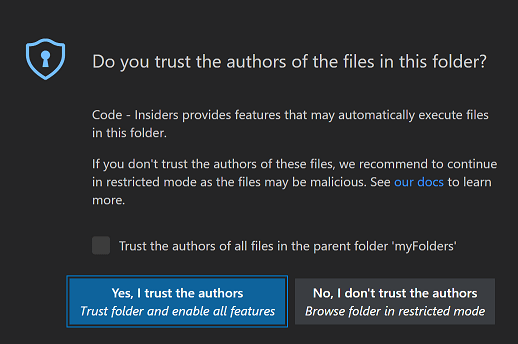
- Workspace Trust - Quickly customize Workspace Trust settings, disable Restricted Mode banner.
- Editor scroll bar customization - Set bar visibility and width

Workspace Trust in Visual Studio Code
July 6, 2021 by Chris Dias, @chrisdias
Can I trust myself? This is the existential question facing many Visual Studio Code users since the 1.57 update .
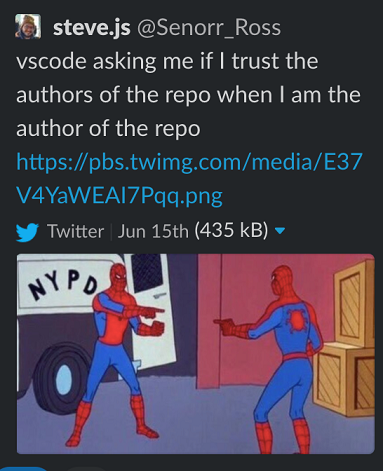
While we can't answer that question for you, we can tell you more about why we've introduced the concept of Workspace Trust.
But first, a little background.
Cats and keyboards, and bad apples
The internet is full of happy things, like videos of cats typing on keyboards.
For developers, it'
Visual Studio Code May 2021
Downloads: Windows: User System ARM | Mac: Universal 64 bit Arm64 | Linux: snap deb rpm tarball ARM
Welcome to the May 2021 release of Visual Studio Code. There are a number of updates in this version that we hope you will like, some of the key highlights include:
- Workspace Trust - Extra security against code execution when browsing unfamiliar source code.
- New Getting Started experience - Helps you quickly set up and learn about VS Code.
- Remote Repositories - Browse and edit code without
Remote Repositories extension for Visual Studio Code
June 10, 2021 by Brigit Murtaugh, @BrigitMurtaugh , Eric Amodio, @eamodio
We're excited to present the new Remote Repositories extension for Visual Studio Code! This is a new experience that we've been building in partnership with our friends at GitHub to enable working with source code repositories quickly and safely inside VS Code.
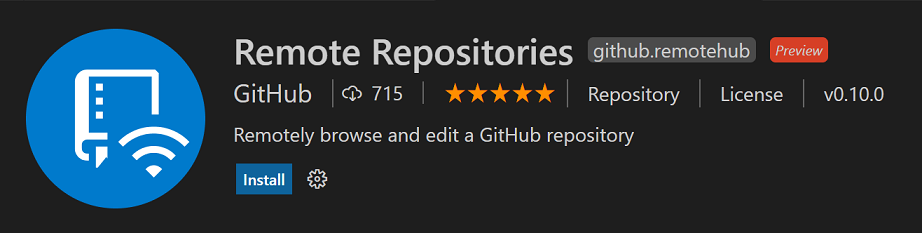
A quicker way to open source code repositories
In VS Code, we've offered integrated support for Git from the very beginning, and we've been supporting many
Visual Studio Code at Microsoft Build 2021
June 2, 2021 by Alessandro Segala, @ItalyPaleAle
"That's a wrap! Now catch up with content on-demand."
Build 2021 , Microsoft's main event for developers, ended last week. The Visual Studio Code team, alongside all our colleagues from Developer Division, worked really hard to deliver a lot of exciting content over the span of this two-day virtual event!
Even though Build is over, all the sessions are now available to watch on-demand

Visual Studio Code April 2021
Downloads: Windows: User System ARM | Mac: Universal 64 bit Arm64 | Linux: snap deb rpm tarball ARM
Welcome to the April 2021 release of Visual Studio Code. The VS Code team has been busy this month working on several longer lead time updates so check out the Preview features section to learn what's upcoming. Here are some of the highlights included in this release:
- Improved hover feedback - Helps you quickly find clickable editor actions.
- Terminal profile improvements - Create a custom default
Visual Studio Code March 2021
Downloads: Windows: User System ARM | Mac: Universal 64 bit Arm64 | Linux: snap deb rpm tarball ARM
Welcome to the March 2021 release of Visual Studio Code. There are a number of updates in this version that we hope you will like, some of the key highlights include:
- Accessibility improvements - Multi-cursor support and increased line limit.
- Updated icons for macOS Big Sur - Brand icons that match the visual style of Big Sur.
- Improvements to breakpoints - Inline breakpoints menu,

Visual Studio Code February 2021
Downloads: Windows: User System ARM | Mac: Universal 64 bit Arm64 | Linux: snap deb rpm tarball ARM
Welcome to the February 2021 release of Visual Studio Code. There are a number of updates in this version that we hope you will like, some of the key highlights include:
- Apple Silicon builds - VS Code is now available in stable for Apple Silicon.
- Accessibility improvements - Better word navigation on Windows and roles for views and buttons.
- Persistent terminal processes - Local terminal processes are