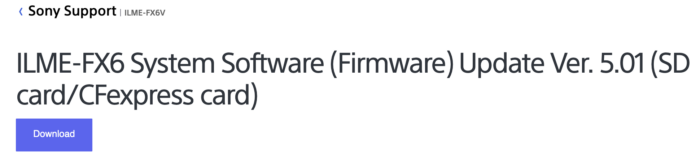
As you know Sony first released than pulled off the Version 5.0 because of a bug. Now they released the 5.01 version that fixes everything:
Benefits and Improvements
Notes:
- For customers using the Content Browser Mobile app:
- After the update, you will not be able to use the monitoring function in the Content Browser Mobile app.
- Please install the Monitor & Control app ( Ver. 2.0 or later ) to continue using this feature after the update.
- Fixes an issue where, after updating the system software to Ver. 5.00 , the audio from CH2 changes unintentionally when turning the power ON while the INPUT2 (audio input 2) switch is set to LINE .
- We apologize for the inconvenience
This update also includes the following benefits from Ver. 5.00 :
- Adds support for the new preset 709tone Base Look
- Adds a 1.5x De-Squeeze setting for both the viewfinder and HDMI output
- Adds support for the Monitor & Control app, including:
- Waveform and histogram displays
- False-color and Focus Map displays
- Monitoring at 1024×576 resolution
Note: Please update the Monitor & Control app to the latest version ( Ver. 2.0 or later ) to continue using this feature after the update.
- Adds support for the Area Indication setting when using the Multi Matrix correction feature
- Improves the image quality when using 3D LUT software
- Adds 23.98PsF (progressive segmented frame) support for SDI output
- Adds support lenses (SEL100400GM, SEL200600G) for the Breathing Compensation function
- Adds the ability to use the multi-selector to choose the focus target for the real-time tracking auto focus feature
- Adds the following settings:
- Format Media A or B setting on the Media status screen
- Wireless LAN , Wired LAN , or Modem setting on the Network status screen
- Improves the adjustment range of the Matrix / Multi Matrix settings when the Base Look is set to between User1 and User16 , and when Target Display is set to HDR (HLG)
Note: The effect on the setting values is different from Ver. 4.0 or earlier. If you are using the Matrix or Multi Matrix settings, please readjust the range.
Note: Refer to the Manual for additional details on all updated functions.
**This post contains affiliate links and I will be compensated if you make a purchase after clicking through my links. As an Amazon Associate I earn from qualifying purchases
**This post contains affiliate links to eBay and I will be compensated if you make a purchase after clicking through my links. As an eBay Associate I earn from qualifying purchases
**This post contains affiliate links to eBay and I will be compensated if you make a purchase after clicking through my links. As an eBay Associate I earn from qualifying purchases