Controlling PWM fans with the Raspberry Pi CM4 IO Board's EMC2301

When I initially reviewed the Compute Module 4 IO Board, I briefly mentioned there's a 4-pin fan connector. It's connected to the Pi's I2C bus using a little PWM chip, the EMC2301 .
But wait... what's I2C, what's PWM, and what's so special about a 4-pin fan connector? I'm glad you askedâthis post will answer that and show you how you
Using Compute Module 4 IO Board pins as an ATX case front panel header
Recently I built the Seaberry , a Raspberry Pi Compute Module 4 mini ITX motherboard into a PC case (video coming soon...), and got the case power button, power LED, and activity LED all wired up to the Pi:

I used the GPIO and 14-pin header present on the Seaberry (which conveniently are identical to the headers on the official CM4 IO Board), and wound up with a fully functionality power button, power LED, and activity LED!
Here's how
Working with multiple WiFi interfaces on a Raspberry Pi
Update for Bookworm / Pi OS 12+ : After Debian 12 / Pi OS 12, the directions below using
wpa_supplicantno longer apply. See this comment for updated instructions usingnmcliandnmtuiwith NetworkManager instead.Also see my newer blog post, nmcli for WiFi on Raspberry Pi OS 12 'Bookworm' .
Sometimes I like to connect to multiple WiFi networks on my Pi for... reasons.
Other times I like being able to use a better wireless interface than the built-in
I built a $5,000 Raspberry Pi server (yes, it's ridiculous)
When I heard about Radxa's Taco âa Raspberry Pi Compute Module 4-powered NAS/router-in-a-boxâI knew what must be done.
Load it up with as much SSD storage as I can afford, and see what it can do.

And after installing five Samsung 870 QVO 8TB SSDs and one Sabrent Rocket Q NVMe SSD âloading up every drive slot on the Taco to the tune of 48TB raw storageâ
HTGWA: Create a ZFS RAIDZ1 zpool on a Raspberry Pi
This is a simple guide, part of a series I'll call 'How-To Guide Without Ads'. In it, I'm going to document how I set up a ZFS zpool in RAIDZ1 in Linux on a Raspberry Pi.
Prequisites
ZFS does not enjoy USB drives, though it can work on them. I wouldn't really recommend ZFS for the Pi 4 model B or other Pi models that can't use native SATA, NVMe, or SAS drives.
For my own testing,
HTGWA: Create an NFS share in Linux on a Raspberry Pi
This is a simple guide, part of a series I'll call 'How-To Guide Without Ads'. In it, I'm going to document how I create an NFS share in Linux on a Raspberry Pi.
Install NFS
$ sudo apt-get install -y nfs-kernel-serverCreate a shared directory
$ sudo mkdir /mnt/mydrive/shared$ sudo chmod -R 777 /mnt/mydrive/sharedI won't deal with permissions in this post; read this
HTGWA: Create a Samba (SMB) share on a Raspberry Pi
This is a simple guide, part of a series I'll call 'How-To Guide Without Ads'. In it, I'm going to document how I create Samba (SMB) shares in Linux on a Raspberry Pi.
Install Samba
This is important, for obvious reasons:
$ sudo apt install -y samba samba-common-binCreate a shared directory
$ sudo mkdir /mnt/mydrive/shared$ sudo chmod -R 777 /mnt/mydrive/sharedI won't
HTGWA: Create a RAID array in Linux with mdadm
This is a simple guide, part of a series I'll call 'How-To Guide Without Ads'. In it, I'm going to document how I create and mount a RAID array in Linux with mdadm .
In the guide, I'll create a RAID 0 array, but other types can be created by specifying the proper --level in the mdadm create command.
Prepare the disks
You should have at least two drives set up and ready to go. And make sure you don'
HTGWA: Partition, format, and mount a large disk in Linux with parted
This is a simple guide, part of a series I'll call 'How-To Guide Without Ads'. In it, I'm going to document how I partition, format, and mount a large disk (2TB+) in Linux with parted .
Note that newer fdisk versions may work better with giant drives... but since I'm now used to parted I'm sticking with it for the foreseeable future.
List all available drives
$ sudo parted -l...ErrorCutiePi - a Raspberry Pi CM4 Linux Tablet
A few weeks ago, I got my hands on an early prototype of the CutiePi .
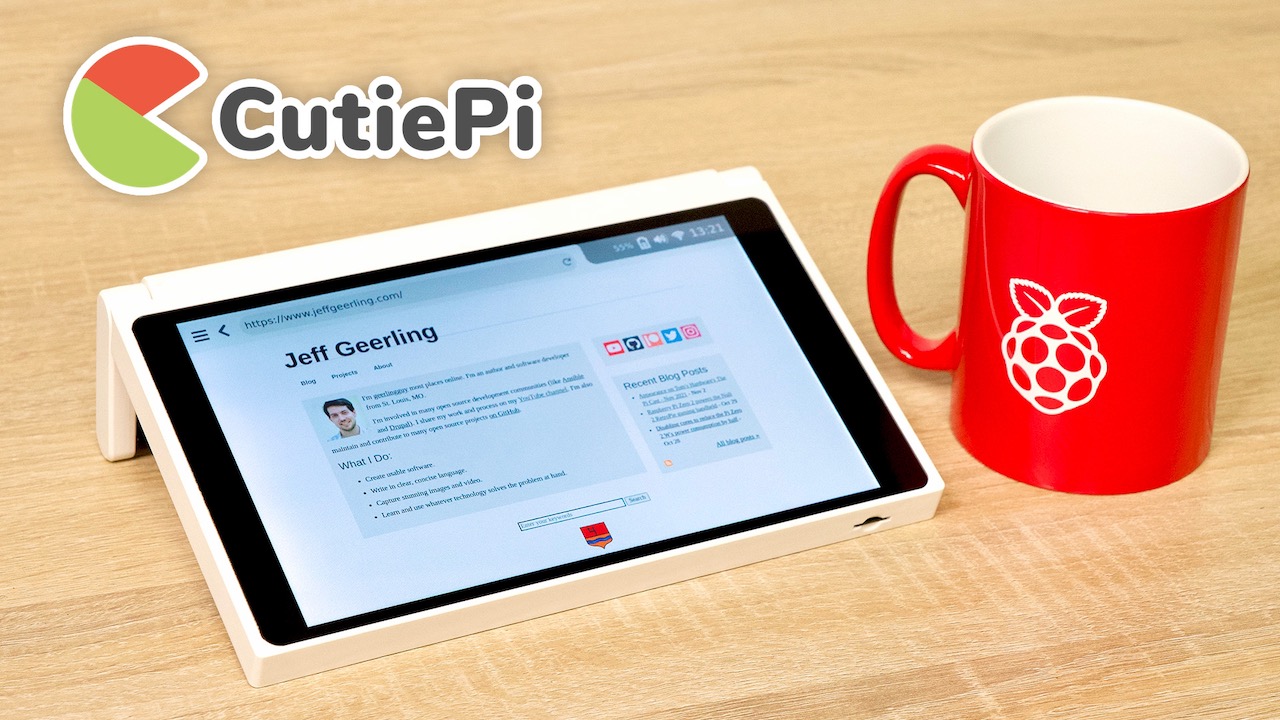
Unlike many other Pi 'tablet' projects, this one is actually more of a, well, tablet , since it is based on the diminutive Compute Module 4. And because of that, and a custom main board, the CutiePi is less than half as thick as the other decent modern Raspberry Pi tablet on the market, the RasPadâplus it has a cute handle: