Raspberry Pi KVMs compared: TinyPilot and Pi-KVM v3
In a strange coincidence, the authors of TinyPilot and Pi-KVM both emailed me within a week of each other and asked if I'd be interested in one of their KVM devices.

Michael Lynch, founder of Tiny Pilot, said he'd used some of my Ansible work in building the TinyPilot update system , and Maxim Devaev, of Pi-KVM, liked my Pi open source content, and wanted to see what I thought of the new v3 kit that's currently on Kickstarter .
I took
Monitoring my home's air quality (CO2, PM2.5, Temp/Humidity) with AirGradient's DIY sensor
A few months ago, I found this Hacker News post about the AirGradient DIY Air Quality Monitor . I had already been considering buying an AirThings Wave Plus sensor to monitor my home's CO2 levels, but the high price and limited 'ownership' of the data coming from it turned me off.

So I built two AirGradient DIY air quality monitor boards (see above), and integrated them into my Prometheus + Grafana home monitoring setup I've been using to monitor other things in my house:
Review: Sennheiser MKE 200 supercardioid on-camera mic

The Sennheiser MKE 200 is a compact shotgun microphone, and it's a small and cheap way to improve the sound you get for vlogging, or b-roll footage over the built in mic on your camera or phone.
I bought this microphone for use making my YouTube videos, and I'm not getting any compensation for this review. I just wanted to see if it would be a good 'run and gun' mic for some of my work, and to share my thoughts here.
After
Time Card and PTP on a Raspberry Pi Compute Module 4
Ahmad Byagowi, the project lead for Open Compute Project's Time Appliance, reached out to me a couple weeks ago and asked if I'd be willing to test the new Time Card Facebook had announced in mid-August on a Raspberry Pi Compute Module 4. Since I have a sort of obsession with plugging anything and everything into a Pi to see what works and what doesn't, I took him up on the offer.
The official specs had PCI Express Gen 3 on a x4 slot as a

Modeling my Grandpa with 3D Photogrammetry
Today I released a video about howâand whyâI 3D Printed my Grandpa and put him on my bottle of ketchup. Watch it here .
I sculpted a bust of my Grandpa in high school, gave it to my grandparents, got it back after he died and my Grandma moved out of her house (I wrote a tribute to my 'Grandpa Charlie' ), and I kept on moving it around my office because I didn't have room for it:

Grandpa by Jeff
I made a custom ceiling mount for my camera
I shoot the 'A-roll' for my YouTube videos with a Sony a6000 and a small Glide Gear TMP 75 smartphone teleprompter :

Until recently, I had these mounted on a tripod just off the back corner of my desk:
Why build a Raspberry Pi Cluster?

After I posted my Raspberry Pi Blade server video last week, lots of commenters asked what you'd do with a Pi cluster. Many asked out of curiosity, while others seemed to shudder at the very idea of a Pi cluster , because obviously a cheap PC would perform better... right?
Before we go any further, I'd say probably 90 percent of my readers shouldn't build a Pi cluster.
But some of you should. Why?
Well, the first thing I have to
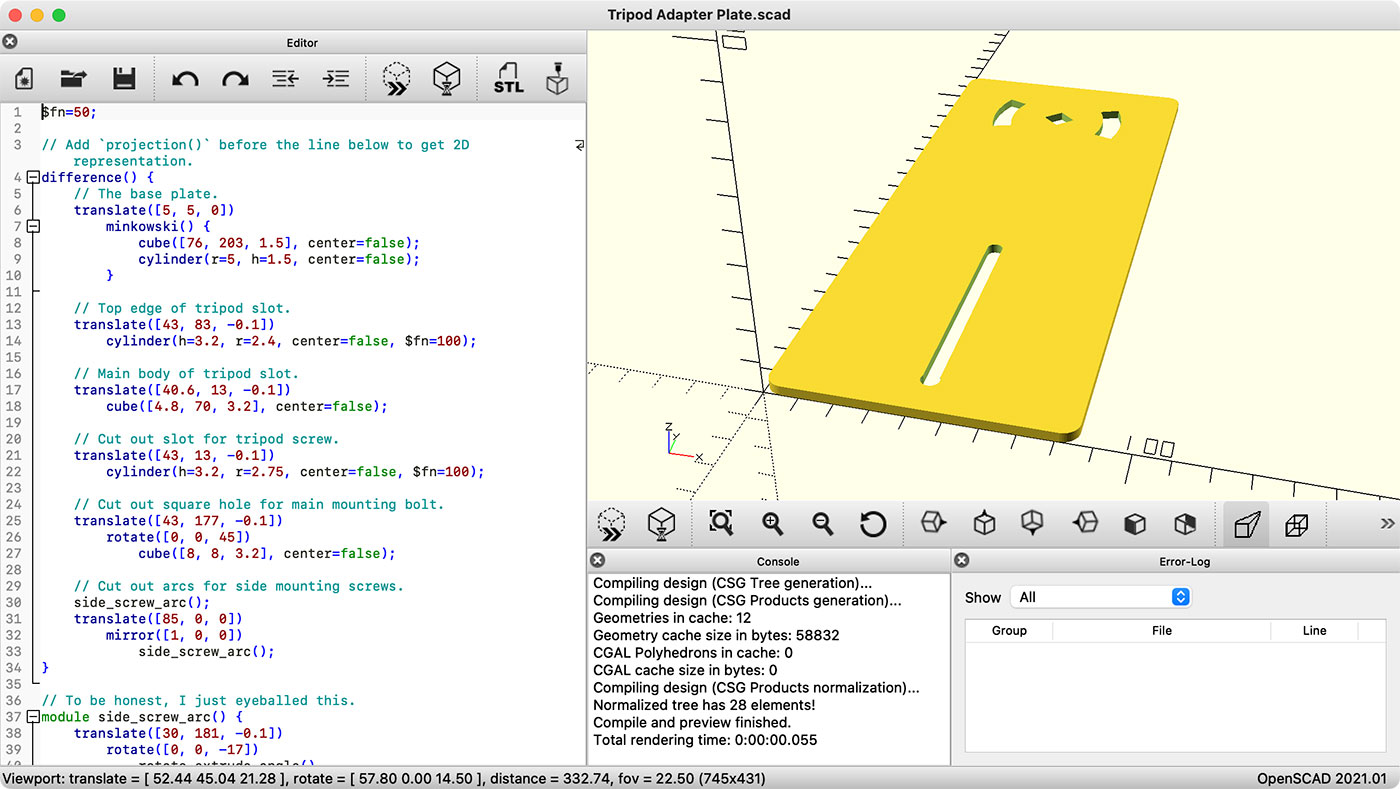
How to Export a 2D illustration of a 3D model in OpenSCAD
I've been getting into OpenSCAD latelyâI'd rather wrestle with a text-based 3D modeling application for more dimensional models than fight with lockups of Fusion 360!
One thing I wanted to do recently was model a sheet-metal object that would be cut from a flat piece of sheet metal, then folded into its final form using a brake. Before 3D printing the final design, or cutting metal, I wanted to 'dry fit' my design to make sure my
Uptime Lab's CM4 Blade adds NVMe, TPM 2.0 to Raspberry Pi
A few weeks ago, I received two early copies of Uptime.Lab 's CM4 Blade.

The Blade is built for the Raspberry Pi Compute Module 4 , which has the same processor as the Pi 4 and Pi 400, but without any of the built-in IO ports. You plug the CM4 into the Blade, then the Blade breaks out the connections to add some interesting features.
A 1U rackmount enclosure is in the works, and 16 1 of these boards would deliver:
Raspberry Pi OS now has SATA support built-in
After months of testing various SATA cards on the Raspberry Pi Compute Module 4, the default Raspberry Pi OS kernel now includes SATA support out of the box .

In the past, if you wanted to use SATA hard drives or SSDs and get native SATA speeds, and be able to RAID them together for redundancy or performance, you'd have to recompile the Linux kernel with SATA and AHCI.
Sure you could always use hard drives and SSDs with SATA to USB adapters, but you sacrifice 10-20%