Review: MyElectronics Raspberry Pi hot-swap rack system

MyElectronics, a small business in the Netherlands, specializes in small computer rackmount solutions. They sent me these two racks (a 1U and 2U Raspberry Pi rack) and asked me to test them out and compare them to the 3D Printed Raspberry Pi Rack I built earlier this year, based on a design by Russ Ross .
They also have a 3U Raspberry Pi rackmount unit , but I won't be reviewing that here.
The contents of this review are summarized in this video I posted on YouTube
SpaceX's Starlink Review - Four months in
SpaceX's Starlink internet service uses satellites in low-earth orbit to provide high-speed Internet to underserved parts of the world, especially places without easy access to cable or fiber.

SpaceX's Starlink beta opened up in my area, so I installed Dishyâthat's the nickname for the large white satellite dish aboveâand I've been testing it and comparing it to my Cable internet.
I have Raspberry Pis monitoring my Internet âone on Starlink, and one
Ethernet was slower only in one direction on one device
There could be a thousand reasons something like this happens, but here's my situation:
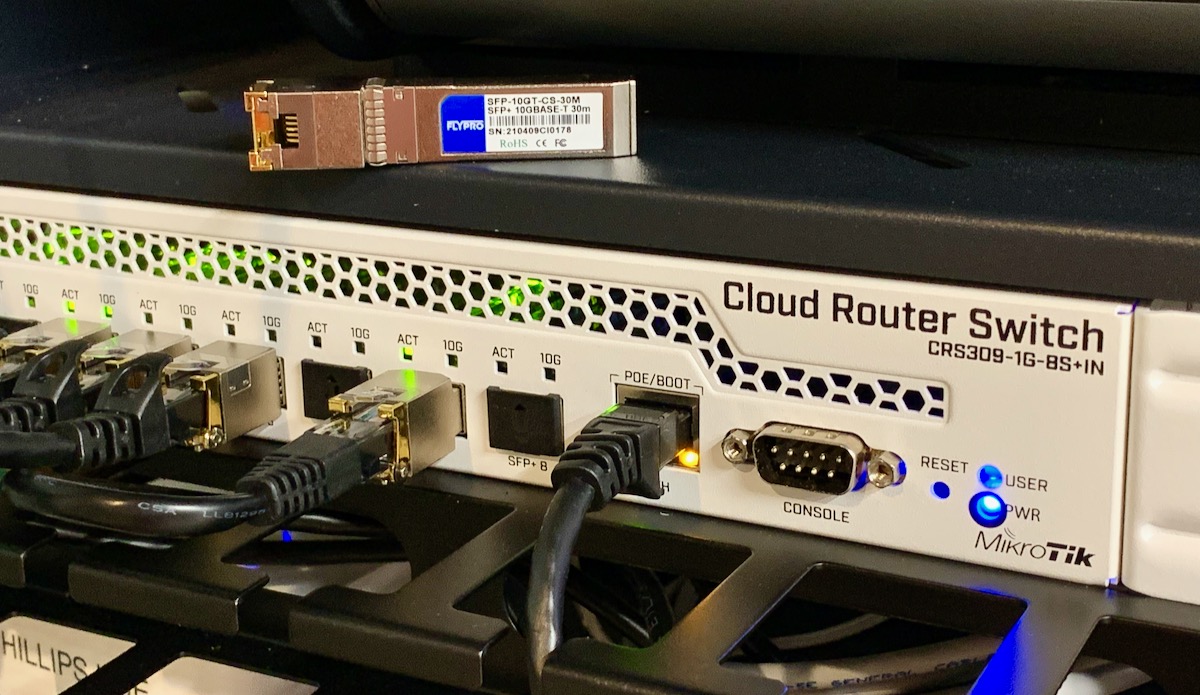
A few months ago, when I was testing 10 Gigabit networking on the Raspberry Pi , I noticed something funny when I was doing iperf3 speed tests between devices connected through my MikroTik CRS305 10G switch.
The switch uses SFP+ jacks, and so I was testing a variety of connectionsâSFP+ to duplex fiber, SFP+ to RJ-45 copper, and SFP+
Getting faster 10 Gbps Ethernet on the Raspberry Pi
If you read the title of this blog post and are thinking, " 10 Gbps on a Pi? You're nuts! ," well, check out my video on using the ASUS XG-C100C 10G NIC on the Raspberry Pi CM4 . Back? Good.
To be clear: it's impossible to route 10 gigabits of total network throughput through any Raspberry Pi on the market today.

But it is possible to connect to a 10 gigabit network at 1
The Raspberry Pi IoT Notification Bell
Harbinger of the Internet of Dings
Last year, I built the first version of what I call the "Raspberry Pi Bell Slapper." It was named that because it used a servo and a metal arm to slap the top of the bell in response to a stimuliâin this case, an email from a donation notification system for a local non-profit radio station.
This year, that same radio station had another one of their fund-raisers (a radiothon), and to celebrate, I thought

Ansible might be running slow if libyaml is not available
Recently I upgraded from an Intel-based MacBook Pro to two M1 Macs. As part of the upgrade, I also made sure to refine my Mac setup automation with Ansible and my Mac Development Ansible Playbook .
But one weird thing I noticed was no matter how I installed Ansible on my new Macs, I couldn't get libyaml support to work:
$ ansible --versionansible [core 2.11.1] config file = /etc/ansible/ansible.cfg configured module search path =Monitor your Internet with a Raspberry Pi
Internet Service Providers are almost universally despised. They've pushed for the FCC to continue defining 25 Mbps as "high use" broadband , and on top of that they overstate the quality of service they provide. A recently-released map of broadband availability in the US paints a pretty dire picture:

Here in St. Louisâwhere I guess I should count my lucky stars we have 'high use' broadband availableâI have only two options: I can get 'gigabit' cable
Review of Raspberry Pi's PoE+ HAT (June 2021)
The PoE+ HAT powers a Raspberry Pi 3 B+ or 4 model B over a single Ethernet cable, allowing you to skip the USB-C power adapter, assuming you have a PoE capable switch or injector.
Unfortunately, I would recommend the original PoE HAT over the newer PoE+ HAT for most usersâthough Raspberry Pi have redesigned the HAT slightly and it's more on par with the original, though hard to distinguish which model you're getting. ( Updated mid-202

AWS S3 Glacier Deep Archive - Difficulty deleting files with accents
A few days ago, my personal AWS account's billing alert fired, and delivered me an email saying I'd already exceeded my personal comfort thresholdâin the second week of the month!

Knowing that I had just rearranged my entire backup plan because I wanted to change the structure of my archives both locally and in my S3 Glacier Deep Archive mirror on AWS, I suspected something didn't get moved or deleted within my backup S3 bucket.
And I was right.
But I wanted
Allowing Ansible playbooks to work with new user groups on first run
For a long time, I've had some Ansible playbooksâmost notably ones that would install Docker then start some Docker containersâwhere I had to split them in two parts, or at least run them twice, because they relied on the control user having a new group assigned for some later tasks.
The problem is, Ansible would connect over SSH to a server, and use that connection for subsequent tasks. If you add a group to the user (e.g. docker )